Cold email: 12 mistakes that send you to spam or the trash
By Etienne DouillardPublished 10 min read
AI summary
Too long, didn’t read?
Ask your favourite AI to summarise this article and pull out the points that matter for your business.

Contents
- Why does a cold email end up in spam or in the trash?
- Which technical mistakes send a cold email to spam?
- Which content mistakes get a cold email deleted?
- What is the fix for each mistake?
- What does a corrected cold email look like?
- How do you check your emails before sending them?
- How do you know which mistake is costing you replies?
- How do you send fewer cold emails, but at the right time?
- Sources
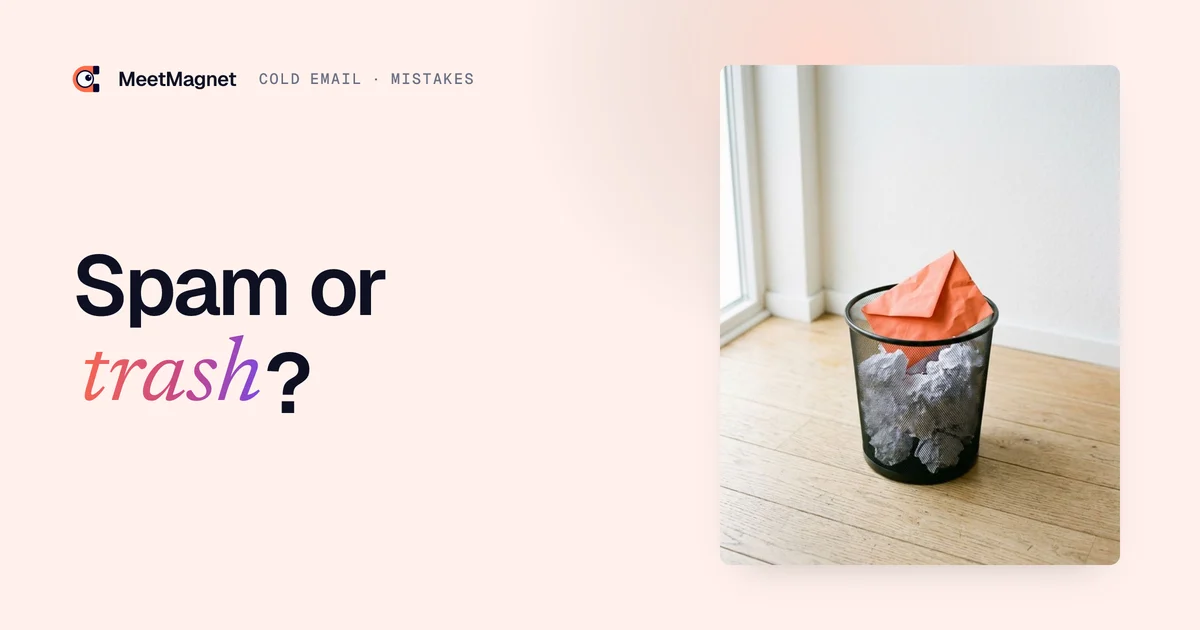
A cold email that gets no reply has not always been read. Some messages never reach the main inbox, and others are deleted after three seconds. Either way, the sender concludes that “cold email doesn’t work anymore,” when the problem often comes down to a handful of mistakes that are easy to fix. Here are the 12 most common ones, sorted into two groups, with the fix for each.
Why does a cold email end up in spam or in the trash?
A cold email fails for two separate reasons: either the recipient’s email provider files it as spam before they see it, or the recipient sees it and deletes it. The first group of mistakes is technical, the second is about content.

The two groups feed each other. A message that many recipients delete without opening, or report as junk, damages your domain’s reputation. Your next sends are then more likely to go straight to spam, even if they are better written. 👉 Fixing your content therefore also protects your deliverability.
- Technical mistakes: they decide whether your message lands in the inbox.
- Content mistakes: they decide whether your message is read to the end, and then whether it gets a reply.
- Targeting mistakes: they cut across both groups, because writing to the wrong person leads to both deletions and spam reports.
Which technical mistakes send a cold email to spam?
The costliest technical mistakes are an unauthenticated domain, too much volume at once and an unverified list of addresses. They are invisible in the text of the message, but email providers spot them right away.
- Sending from an unauthenticated domain. Without SPF, DKIM and DMARC records, the recipient’s email provider cannot verify that you are really the sender. Gmail and Yahoo require at least SPF or DKIM for all senders, and all three for bulk senders.
- Prospecting from your main domain. If your main domain gets a bad reputation, your invoices, your quotes and your conversations with customers may also start landing in spam.
- Sending a lot at once from a new address. An address that has never sent anything and suddenly sends hundreds of messages looks like a hacked account. Volume should ramp up gradually.
- Using an unverified list. Fake or closed addresses send back errors (bounces). Too many errors tell email providers that you are writing to people who do not know you.
- Loading the message with links, images and attachments. A first message with three tracked links, a logo image and a PDF brochure looks like an ad campaign. It gets filtered more often, and it gets read less.
- Making it hard to say no. A recipient who cannot find a way to say no clicks “report spam.” That click weighs far more than a deletion.
⚠️ On that last point, the rules are precise. Google asks senders to keep their reported spam rate below 0.3%, and recommends staying below 0.1%. Yahoo sets the same 0.3% ceiling. Above that, your messages are penalized, whatever their content.
We cover SPF, DKIM, DMARC, the secondary domain and ramping up volume in our guide to cold email deliverability. Here, just remember that these settings are done once, before the first send.
Which content mistakes get a cold email deleted?
The most common content mistakes are talking about yourself, having no reason to write to this person and writing too much. The recipient decides in a few seconds: if the first two lines are not about them, they move on to the next message.
- Talking about yourself in the first sentence. “I’m Paul, founder of an agency that specializes in…”: the reader learns who you are before knowing why you are writing to them. They will not read any further.
- Having no reason to write now. A message that could go to a thousand people on the same day without changing a word has no reason to exist for the person who receives it. A first name and a company name are not enough to personalize it.
- Writing too much. Three paragraphs of introduction, a list of references and a summary of the offer: nobody reads that on a phone between two meetings.
- Asking several questions at once. “Are you the right person? Do you have this need? Would you be free on Thursday?” Three questions call for three answers. The reader gives none.
- Lying in the subject line. A fake “Re:” or a “Following up on our conversation” when there was never any conversation might get an open, but trust is lost at the first line. It is also the kind of message people report as junk.
- Following up aggressively. Five follow-ups in ten days, an “I still haven’t heard back from you” or a fake breakup email: the follow-up turns into pressure, and pressure leads to spam reports.
💡 A simple test for mistakes 7 and 8: reread your first sentence and replace the prospect’s name with someone else’s. If the sentence is still true, it says nothing about them.

The subject line deserves special attention, because it decides whether the email gets opened. We devote a full article to it: cold email subject lines, with examples built from a signal.
What is the fix for each mistake?
Each mistake has a predictable consequence and a simple fix. The table below sums them up, so you can use it as a review checklist.

| Mistake | Consequence | Fix |
|---|---|---|
| Unauthenticated domain | Messages rejected or filed as spam | Set up SPF, DKIM and DMARC before the first send |
| Prospecting from the main domain | The whole company’s reputation at risk | Use a secondary domain dedicated to prospecting |
| High volume from day one | Address flagged as suspicious | Ramp up volume gradually over several weeks |
| Unverified list | High error rate, damaged reputation | Verify every address before sending |
| Links, images, attachments | Filtered more often, less likely to be read | Plain text, one link at most, no attachments |
| Hard to say no | Spam reports | One clear sentence for saying no, and honor it |
| Talking about yourself | Deleted from the first line | Start with the prospect’s situation |
| No reason to write | Seen as a mass mailing | Start from a recent, verifiable fact about the prospect |
| Message too long | Reader gives up | Five to eight lines, readable on a phone |
| Several questions | No reply | One question, easy to answer |
| Fake “Re:” | Lost trust, spam reports | An honest subject line that states the topic |
| Aggressive follow-up | Irritation, opt-out requests | Two or three follow-ups spaced out, each adding something |
📌 The first six rows are fixed once and for all. The last six are fixed message by message, which takes more discipline.
What does a corrected cold email look like?
A corrected cold email is short, starts from a real fact about the prospect and asks a single question. The example below shows the same intent, written twice.
Example
Situation: an operations consulting firm for manufacturers wants to meet the director of operations at a metal parts manufacturer. The signal: for two weeks, the company has been posting three job openings for maintenance technicians.
Version that ends up in the trash (subject: “Re: our conversation”):
“Dear Ms. Martin, I’m Thomas, a senior consultant at a firm founded in 2009 that works with more than a hundred manufacturers. We offer audits, training and full support for your teams. Please find our brochure attached. Are you the right person? Do you have any projects right now? Would you be available Tuesday or Thursday for a 30-minute call?”
Version that gets a reply (subject: “your three maintenance technician openings”):
“Hi Claire, I saw you are hiring three maintenance technicians at once. Often, a wave of hiring like this comes when line stoppages become too frequent for the current team. Is that the case for you, or are these roles more about growing demand?”
The first version piles up five mistakes: a fake “Re:”, a self-introduction, an attachment, length and three questions. The second starts from a fact the person recognizes, offers a modest hypothesis and asks a question that can be answered in one line. ✅ It does not ask for a meeting: it opens a conversation, and the meeting comes later.
Notice also what the second version leaves out: no links, no images, no oversized signature. It is more pleasant to read, and it gets through filters more easily.
How do you check your emails before sending them?
The safest approach is to review each batch of messages against a short checklist before you hit send. Five minutes of review saves weeks of damaged reputation.
- ✅ The sending domain is authenticated (SPF, DKIM, DMARC) and it is not your main domain.
- ✅ The addresses were verified in the days before sending.
- ✅ The day’s volume stays within the ramp-up planned for this address.
- ✅ The first sentence is about the prospect, and it would be false for anyone else.
- ✅ The message is under eight lines and asks a single question.
- ✅ The subject line is honest: no “Re:”, no “Following up on our conversation.”
- ✅ The recipient can say no in one sentence, and you will remove their address if they do.
👀 Have a colleague read three random messages with no context. If they cannot tell within ten seconds why you are writing to that specific person, the prospect will not be able to either.
How do you know which mistake is costing you replies?
The metrics in your sending tool show which group of mistakes is to blame. Just read three numbers in order, from the most technical to the most commercial.
- The bounce rate. If it is high, the problem is the list. Nothing else matters until it is fixed.
- Spam reports. If they are rising, the problem is targeting, follow-up pressure or a refusal that is too hard to express.
- The reply rate. If the first two numbers are fine and nobody replies, the problem is the message itself: it gives no reason to reply.
⚠️ Be wary of the open rate. Several email providers load images automatically, which skews the count, and the tracking pixel used to measure it makes the message heavier. The reply rate is a much more reliable metric.
When the problem is the reply rate, the most common cause is not the wording but the timing. We explain this in our article on why your prospects don’t reply.
How do you send fewer cold emails, but at the right time?
The surest way to avoid these 12 mistakes is to write fewer messages, to people who have a concrete reason to read you this week. A small volume protects your domain, and a message built on a real fact gets read instead of deleted.
In practice, the method comes down to three steps:
- Spot a recent fact about the prospect: a new role, a round of hiring, a post about a problem you solve.
- Write an opening line about that fact, reviewed by a human, with a hypothesis and a single question.
- Aim for a conversation, then a meeting, with spaced-out follow-ups that each bring something new.
🎯 The goal is not to send more, but to turn a larger share of the messages you send into real conversations.
That is what MeetMagnet does: it tracks on LinkedIn the intents defined with each client, suggests an opening line built on the signal, reviewed before sending, then chains LinkedIn and email in a single sequence. The funnel stats show where the drop-off happens at each stage, so you don’t have to guess which mistake to fix. 🚀
Sources
- “Email sender guidelines”, Google (Gmail Help), accessed October 2, 2026, https://support.google.com/a/answer/81126
- “Sender Best Practices”, Yahoo Sender Hub, accessed October 2, 2026, https://senders.yahooinc.com/best-practices/
Frequently asked questions
Why do my cold emails go to spam?
Most often because the sending domain is not authenticated with SPF, DKIM and DMARC, the volume ramps up too fast, the list contains invalid addresses or too many recipients report your messages. Fix these technical settings first, then your targeting and your content.
How long should a cold email be?
Five to eight lines is enough, readable on a phone. The message should explain why you are writing to this person now, offer a hypothesis about their situation and ask a single easy question. A detailed presentation of your offer can come later, in the conversation or at the meeting.
Can you include a link or an attachment in a cold email?
Avoid attachments in a first message and stick to one link at most. A message loaded with tracked links, images and documents looks like an ad campaign: it gets filtered more often and read less willingly. Send documentation when the prospect asks for it.
How many follow-ups should you send after a cold email?
Two or three follow-ups spaced several days apart are usually enough. Each one should bring something new: a detail, an example, a recent fact about the prospect. Avoid reproaches and fake breakup emails, and stop immediately if the person asks not to be contacted.
Etienne Douillard
Co-founder and CEO, MeetMagnet
An engineer and entrepreneur for over five years, Etienne works every week with B2B SMEs on signal-based prospecting.
From intent to booking
MeetMagnet spots who has a reason to talk to you right now, writes the opener that stands out, and a real person keeps it on track.