Cold email deliverability: SPF, DKIM, DMARC and warm-up
By Etienne DouillardPublished 11 min read
AI summary
Too long, didn’t read?
Ask your favourite AI to summarise this article and pull out the points that matter for your business.

Contents
- What is cold email deliverability?
- What are SPF, DKIM and DMARC for?
- What do Gmail and Yahoo require from senders?
- Do you need a secondary domain for prospecting?
- How do you warm up a new email address?
- What are hard bounces and soft bounces?
- Why do spam complaints carry so much weight?
- How do you keep good deliverability over time?
- Sources
You can write the best cold email in the world, but if it lands in the junk folder, nobody will read it. Deliverability is your messages’ ability to reach the inbox rather than the spam folder. It relies on a few technical settings with intimidating names (SPF, DKIM, DMARC) and on good sending habits. This guide explains them without jargon, for a business owner who wants to know what to ask their IT provider and what to keep an eye on.
What is cold email deliverability?
Cold email deliverability is the share of your messages that actually reaches the recipient’s main inbox. A message that was “sent” was not necessarily “delivered”: it can be rejected, filed as spam or sorted into a tab nobody opens.
Email providers like Gmail and Outlook decide in a few milliseconds where to put each message. To do so, they look at three things:
- Your identity: does the message really come from your domain, or is someone spoofing it?
- Your reputation: were the messages already sent from this domain read, deleted or reported?
- Your behavior: are you sending steady volumes to addresses that exist, or bursts to questionable lists?
👉 The first two are largely settled once and for all. The third depends on each campaign, and it is the one that most often tips a domain into spam.
What are SPF, DKIM and DMARC for?
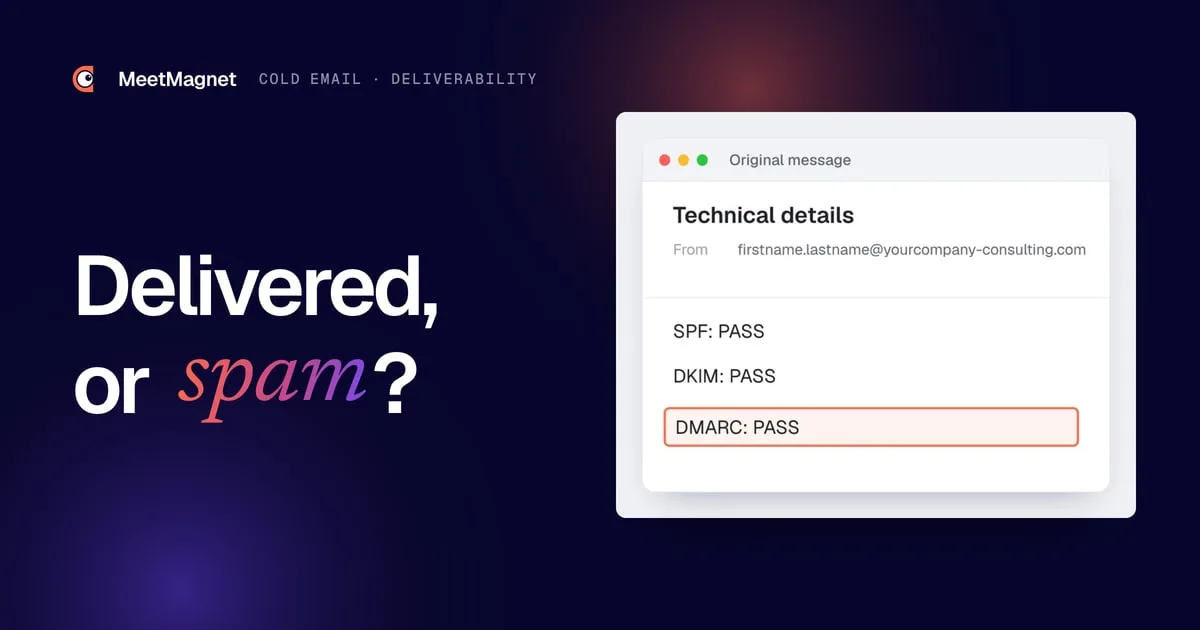
SPF, DKIM and DMARC are three technical records that prove to email providers that your emails really come from you. Without them, your message looks like a letter with no letterhead or signature: nothing proves it was not sent by an impostor.
A picture helps you remember them. SPF is the list of mail carriers allowed to deliver your mail. DKIM is the wax seal on the envelope, which proves it was not opened along the way. DMARC is the instruction left for the recipient: “if the carrier is not on the list or the seal is broken, here is what to do with the letter.”

| Record | What it does | Where it is set | Who handles it |
|---|---|---|---|
| SPF | Lists the servers allowed to send email on behalf of your domain | A TXT record in the domain’s DNS zone, at your registrar | The person who manages your domain name |
| DKIM | Adds a digital signature that proves the message was not altered | A key generated in your email admin console (Google Workspace, Microsoft 365…), published in the DNS zone | The email administrator, with DNS access |
| DMARC | Says what to do with a message that fails the checks, and sends you reports | A TXT record named “_dmarc” in the DNS zone | The person who manages the domain |
💡 You don’t need to understand the syntax of these records. Just ask your IT provider, or the person who manages your domain, for written confirmation that all three are in place and pass the checks.
For DMARC, you almost always start with a monitoring policy (“p=none”): messages are not blocked, but you receive reports. Once your sending is clean, you can tighten the policy so that spoofed messages are quarantined or rejected.
What do Gmail and Yahoo require from senders?
Gmail and Yahoo require all senders to have minimum authentication and a reported spam rate below 0.3%. Bulk senders have additional requirements, detailed below based on the official pages of both providers.
For all senders, Google requires:
- SPF or DKIM set up for the sending domain.
- Valid DNS records in both directions (the server must be findable from its address, and vice versa).
- An encrypted connection (TLS) to transmit emails.
- A spam rate reported in Postmaster Tools, Gmail’s monitoring tool, below 0.3%. Google recommends staying below 0.1% and never reaching 0.3%.
For bulk senders, Google adds DMARC, alignment of the domain shown in the “From” field with the SPF or DKIM domain, and one-click unsubscribe for marketing and subscription messages. Google considers a bulk sender to be anyone who sends close to 5,000 messages or more in 24 hours to personal Gmail accounts, counting all sends from the same primary domain. Google also recommends processing unsubscribe requests within 48 hours.
Yahoo sets very similar rules. All senders must set up at least SPF or DKIM and keep their spam rate below 0.3%. Bulk senders must set up SPF and DKIM, publish a valid DMARC policy (at least “p=none”) that passes the checks, offer one-click unsubscribe for marketing messages and honor unsubscribes within two days.
⚠️ A B2B cold email usually goes to work addresses, not personal Gmail accounts, and at volumes far below 5,000 a day. So these rules do not all apply to you to the letter. But they describe what the major email providers expect from a serious sender: you are better off complying from the start, whatever your volume.
Do you need a secondary domain for prospecting?
Yes, it is the most useful precaution: prospecting from a secondary domain protects the reputation of your main domain. If a campaign goes badly, it is your prospecting addresses that take the hit, not your invoices, quotes and conversations with customers.
A secondary domain looks like your main domain, with a small variation: for example “yourcompany-consulting.com” or “getyourcompany.com” alongside “yourcompany.com.” Here is how to set it up:
- Buy a domain close to yours, one your prospects will recognize without hesitation.
- Redirect it to your main website, so that a curious prospect lands on your real homepage.
- Create one or two mailboxes in the names of real people (firstname.lastname), never “info@” or “sales@.”
- Set up SPF, DKIM and DMARC on this domain, exactly as on the main one.
- Add a complete signature: name, title, company, phone number, link to the website.
- Let the domain warm up before the first real send (see the next section).
Example
Situation: a small industrial services company launches its first email prospecting campaign.
Version that goes wrong: the owner imports a purchased list of 2,000 contacts and sends the same message to all of them on Monday, from his main address. Some of the addresses no longer exist, several recipients report the message, and within the week, his quotes to existing customers start landing in spam.
Version that holds up: he creates a secondary domain, sets up SPF, DKIM and DMARC, lets the address ramp up in volume for three weeks, verifies every address, and only writes to companies that have shown a recent signal (a round of hiring, a new role). He sends little, and his messages get read.
The second scenario takes more time up front, but it saves months of rebuilding the reputation of a domain the whole company depends on. ✅
How do you warm up a new email address?
Warming up an address means increasing its sending volume gradually, over several weeks, so that email providers learn to trust it. A new address that sends hundreds of messages right away looks like a hacked account or a bot.
The schedule below is a cautious example, to adapt to your situation. It is not an official rule: neither Gmail nor Yahoo publishes a ramp-up schedule.
| Period | Prospecting sends per day per address | What to do alongside |
|---|---|---|
| Week 1 | None or almost none | Write real emails to known contacts who reply |
| Week 2 | 5 to 10 | Keep up normal conversations, watch for errors |
| Week 3 | 10 to 20 | Check that no message lands in spam for colleagues |
| Week 4 | 20 to 30 | Read the DMARC reports, look at spam reports |
| After that | Stay under 30 to 50 | Add an address rather than pushing the volume of a single one |
📌 The principle matters more than the exact numbers: a volume that rises slowly, messages that get replies, and no sudden bursts.

Automatic warm-up tools exchange emails between partner mailboxes to simulate activity. They can help at the start, but nothing replaces real conversations. 🤔 An address that gets replies from real prospects sends email providers a much stronger signal than an address trading messages with bots.
What are hard bounces and soft bounces?
A bounce is a message that comes back to the sender because it could not be delivered. There are two types, and they call for different responses.
- Hard bounce (permanent error): the address does not exist, or the domain no longer exists. Remove the address from the list immediately and never try again.
- Soft bounce (temporary error): the mailbox is full, the server is unavailable or the message is too large. You can try again later, but an address that fails several times in a row should come off the list.
- Reputation block: the server refuses the message because of your domain or your content. This is the most serious, because it points to a problem on your side, not the recipient’s.
⚠️ A lot of hard bounces tell email providers that you are writing to addresses gathered carelessly. The fix is simple: verify every address with a verification tool before sending, and remove the uncertain ones rather than taking a chance.
A clean list has another advantage: it forces you to know why you are writing to each person. A list of 2,000 contacts bought in bulk fails that test.

Why do spam complaints carry so much weight?
A spam complaint weighs more than any technical setting, because it comes directly from the recipient. When someone clicks “report spam,” the email provider concludes that your message was unwanted, and it applies that to your next sends.
That is why Google and Yahoo set a ceiling of 0.3% of messages reported. For a cold email, complaints almost always come from the same causes:

- A message sent to someone who has no connection to the topic.
- A misleading subject line, like a fake “Re:” or a made-up “Following up on our call.”
- Follow-ups that are too close together, which turn a message into harassment (see when to follow up and what to write).
- No easy way to say no, which leaves the “spam” button as the only way out.
The law points in the same direction. 👀 In France, the CNIL, the French data protection authority, allows email prospecting to business professionals without prior consent, provided the message relates to their job, they have been informed and can easily opt out, and each message identifies the sender. Other countries have their own rules, so check the ones that apply to your recipients.
To go further on what triggers spam reports on the content side, our article on cold email mistakes reviews the twelve most common ones. The subject line in particular often decides whether the message gets opened or reported: see our cold email subject line examples.
How do you keep good deliverability over time?
You keep good deliverability by sending little, to people who have a reason to read you, with messages that get replies. Technical settings open the door; recipient behavior keeps it open.
Every week, check three things:
- ✅ The bounce rate stays low: if not, the list needs cleaning before any new send.
- ✅ Spam reports stay rare: if not, review your targeting and your follow-up pressure.
- ✅ The reply rate holds up: it is the best indicator of reputation, because a reply proves the message was welcome.
The most powerful lever is targeting. A message sent to a purchasing director who just started in her role, and who is talking about it, is unlikely to be reported: it arrives just as she is reviewing her suppliers. The same message sent to a thousand random buyers will produce deletion after deletion.
Example
Signal: a CFO posts on LinkedIn that he has just joined an 80-person company.
Message that gets reported: “Hello, we help companies optimize their financial processes. Do you have 15 minutes this week for a call?”
Message that gets a reply: “Hi Mark, congrats on the new role. A CFO’s first few months often involve taking stock of the tools already in place. Is that already underway on your end, or is it planned for later?”
🎯 The second message is short, honest and speaks to the recipient’s real situation. It gets replies, and every reply improves the domain’s reputation.
That is the logic behind MeetMagnet: it tracks on LinkedIn the intents defined with each client (new role, hiring, posts), suggests an opening line built on that signal, reviewed before sending, then chains LinkedIn and email in a single sequence, at reasonable volumes. The funnel stats show where messages get lost, from sending all the way to the meeting. 🚀
Sources
- “Email sender guidelines”, Google (Gmail Help), accessed October 2, 2026, https://support.google.com/a/answer/81126
- “Email sender guidelines FAQ”, Google (Gmail Help), accessed October 2, 2026, https://support.google.com/a/answer/14229414
- “Sender Best Practices”, Yahoo Sender Hub, accessed October 2, 2026, https://senders.yahooinc.com/best-practices/
- “La prospection commerciale par courrier électronique, SMS-MMS et automate d’appel”, CNIL, accessed October 2, 2026, https://www.cnil.fr/fr/la-prospection-commerciale-par-courrier-electronique-sms-mms-et-automate-dappel
Frequently asked questions
Are SPF, DKIM and DMARC required for cold email?
Gmail and Yahoo require at least SPF or DKIM from all senders, and all three for bulk senders. In practice, set up all three on your prospecting domain before the first send: without them, your messages are much more likely to be rejected or filed as spam.
How many prospecting emails should you send per day?
No email provider publishes an official number. A new address should start very low and ramp up over several weeks; after that, a few dozen messages per day per address remains a cautious practice. To send more, add an address rather than pushing the volume of a single one.
What is the difference between a hard bounce and a soft bounce?
A hard bounce is a permanent error: the address or the domain does not exist, and it must be removed immediately. A soft bounce is a temporary error, like a full mailbox or an unavailable server: you can try again, but an address that fails several times should come off the list.
Is B2B email prospecting legal without consent?
In France, yes, according to the CNIL, if the message relates to the person's job, they were informed their address would be used and can easily opt out, and each message clearly identifies the sender. Other countries have their own rules. Remove anyone who asks not to be contacted right away.
Etienne Douillard
Co-founder and CEO, MeetMagnet
An engineer and entrepreneur for over five years, Etienne works every week with B2B SMEs on signal-based prospecting.
From intent to booking
MeetMagnet spots who has a reason to talk to you right now, writes the opener that stands out, and a real person keeps it on track.