Find a prospect's email address: reliable and legal methods
By Etienne DouillardPublished 11 min read
AI summary
Too long, didn’t read?
Ask your favourite AI to summarise this article and pull out the points that matter for your business.

Contents
- What are the most common business email address formats?
- How do you find a prospect’s email address without a tool?
- How do email enrichment tools work?
- Which method should you choose to find a business email address?
- How do you verify an email address before sending?
- What does the CNIL say about B2B email prospecting?
- Can you buy an email list for prospecting?
- Should you find the address first, or the right person?
- Sources
You have found the right person, you know why you want to write to them, but you are missing their email address. This is the step where many salespeople lose time, or take risky shortcuts: an address guessed at random, a list bought without knowing where it came from. Yet finding a reliable business email address is possible with simple methods, as long as you verify the address before sending and follow the rules for B2B prospecting. Here are the methods, how reliable they are, what they cost and what the CNIL, the French data protection authority, says about them.
What are the most common business email address formats?
A business email address almost always follows a fixed format, chosen by the company and applied to all of its employees. If you know the format and the domain, you know, in principle, everyone’s address. Here are the formats you come across most often.
- firstname.lastname@company.com: a very widespread format, in small businesses and large corporations alike.
- f.lastname@company.com: first initial, period, last name.
- flastname@company.com: first initial attached to the last name, common in long-established companies.
- firstname@company.com: common in small businesses and startups.
- firstname-lastname@company.com or firstnamelastname@company.com: less common variants.
- lastname@company.com: mostly in very small businesses.
⚠️ Watch out for special cases: accents disappear (“José” becomes “jose”), compound last names are handled in different ways (“Van Dyke” can become “vandyke” or “van-dyke”) and people with the same name often get a number or a middle initial. A guess is still only a hypothesis: an address you have worked out should always be verified.
👉 The domain matters as much as the format. Many companies use a different domain for their email than for their website, after an acquisition or a name change. The website might be on “.com” and the email addresses on “.net,” or the other way around.

How do you find a prospect’s email address without a tool?
To find a prospect’s email address without a tool, first look for the address of another employee at the same company, published somewhere, so you can work out the format. A single real address is enough to understand the rule. Here is where to look, from most to least reliable.
- Emails you have already received from the company. A signature from a supplier, customer or partner gives you the exact format and the right domain.
- Press releases. They almost always include the address of a press contact or an executive.
- The company website. The team, contact, careers and legal pages, or PDF documents (brochures, reports), often contain a named address.
- The person’s LinkedIn profile. The “Contact info” section sometimes shows an address, especially if you are connected.
- Public documents. Requests for proposals, conference proceedings, professional directories or trade associations sometimes list named contacts.
💡 The most reliable source is still the person themselves. A LinkedIn conversation that is going well can end with a simple question: “I’ll send you the document by email, which address do you prefer?” The address is then correct, and the person is expecting your message.
This manual method takes a few minutes per contact. It works very well for targeted prospecting, where you write to a few dozen people a week, chosen for a specific reason.
How do email enrichment tools work?
Enrichment tools find an address from a name and a company by combining a database of known contacts, detection of the company’s email format and a technical check. They do in a few seconds what the manual method does in a few minutes. There are four types.
- Browser extensions: they appear on a LinkedIn profile or a company website and suggest the likely address.
- List enrichment: you upload a list of names and companies, and the tool fills it in with verified addresses.
- B2B contact databases: large directories of professionals, searchable by industry, job title or company size.
- Built-in enrichment: directly inside a CRM or prospecting software, when you add a contact.
These tools usually charge per credit or by subscription, and some only use up a credit when an address is found. 📌 Before choosing one, ask three questions: where does the data come from, how are the people concerned informed, and how can someone ask to be removed. A serious provider answers all three clearly.
A tool gives you a likely address with a confidence score, not a certainty. An address flagged as “risky” or “uncertain” should be treated like a guessed address: verify it, or don’t use it.
Which method should you choose to find a business email address?
The right choice depends on the number of contacts and the time you have. For a few well-chosen people, the manual method is enough; beyond a few dozen a week, a tool saves real time. The table compares the methods.
| Method | Reliability | Cost | GDPR note |
|---|---|---|---|
| Ask the person | Very high | Free | Ideal: the person gives the address knowingly |
| Signature on an email you received | Very high | Free | Address obtained in a business exchange |
| Company website, press release | High | Free, takes time | Published data, inform the person in the first message |
| Inferred format + verification | Medium to high | Free or low | Inform the person in the first message and offer an opt-out |
| Enrichment tool | Medium to high depending on the tool | Subscription or credits | Check the data source and how people are informed |
| B2B contact database | Variable | Subscription, often expensive | Check how the database is collected and updated |
| Purchased list | Low and unknown | Price per contact | High risk: collection often impossible to verify |
Read the right-hand column carefully. 👀 A method can be technically reliable and still be a legal problem, which is the case with some databases whose origin is unknown.
How do you verify an email address before sending?
To verify an email address before sending, check its syntax, whether the domain has a mail server, and then that server’s response for the specific mailbox. Verification tools run these checks without sending a message. They help you avoid bounces, the messages returned because the address does not exist.
- Syntax: no spaces, no accents, a single “@,” a valid domain.
- Domain: it must have a declared mail server (MX record). Otherwise, no email can get there.
- Mailbox: the server indicates whether the address exists. The result is “valid,” “invalid” or “uncertain.”
- The “catch-all” case: some domains accept every address, even ones that don’t exist. The verification cannot reach a conclusion: the address stays uncertain.
- The first send: start with a small volume and watch for bounces. An address that bounces is removed immediately.

⚠️ Bounces damage the reputation of your sending domain. In its sender guidelines, Google asks senders to automatically unsubscribe recipients whose address has rejected messages several times. A sender who keeps writing to dead addresses looks like a bulk sender, and their messages end up in spam more often, including those going to valid addresses.
✅ Verification does not replace the right technical settings on your sending domain (authentication, gradual volumes). We cover them in our guide to cold email deliverability.
What does the CNIL say about B2B email prospecting?
The CNIL, the French data protection authority, allows email prospecting to business professionals without prior consent, on three conditions: the message must relate to the person’s job, the person must have been informed that their address would be used, and they must be able to opt out easily and free of charge. This is known as the “opt-out” regime, more flexible than the one for consumers, for whom prior consent is the rule. These are the French rules, set within the European GDPR; if you prospect in other countries, check the rules that apply there.
In its guidance on commercial prospecting by email, the CNIL specifies the following points.
- The connection to the role: the message must relate to the person’s professional activity. The CNIL gives the example of software presented to the IT director.
- Information: when the address comes from a third party, you must check that the person was informed their address could be used for prospecting.
- Opting out: the person must be able to refuse, when the address is collected and at any time, easily and at no cost.
- Every message must state who is sending it and offer an easy way to stop receiving messages.
- Generic addresses (such as contact@ or info@) assigned to a company are not subject to these principles.
The GDPR adds a useful rule when you did not get the address from the person directly: its Article 14 requires you to inform them no later than your first communication with them, including about the source of their data. 🎯 In practice, the first email should therefore say who you are, where the address came from and how to stop being contacted.
Example
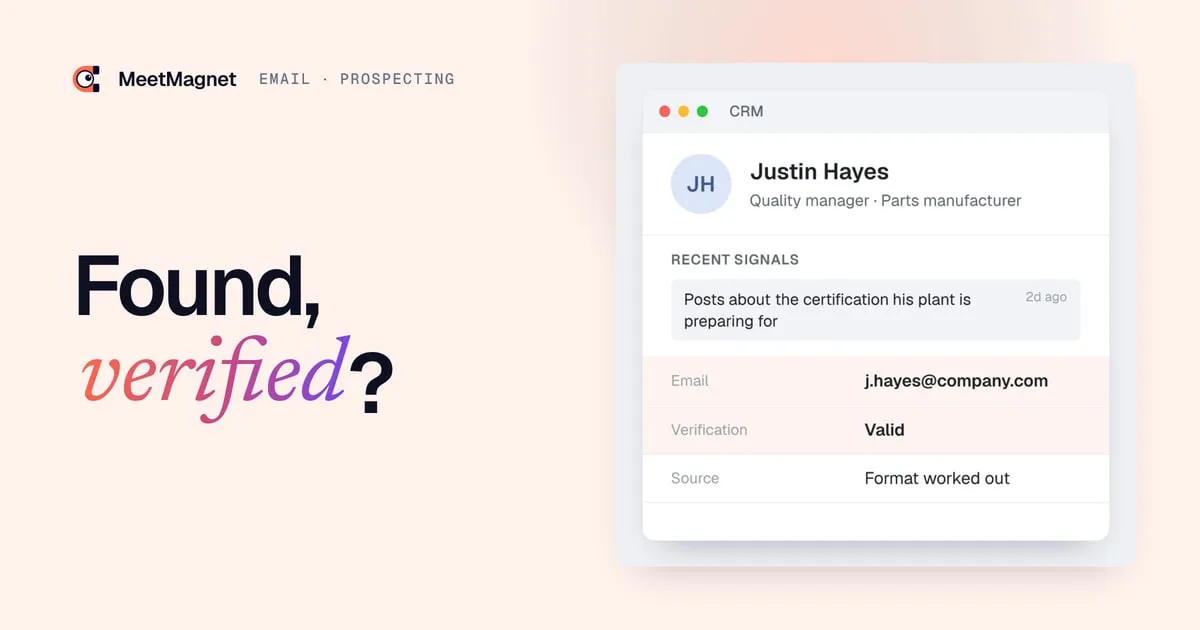
Signal: the quality manager at a machined parts manufacturer posts on LinkedIn that his plant is preparing for a new certification. His address was worked out from the company’s format, then verified.
First email that misses: “Hello, we obtained your contact details and would like to present our services. Feel free to contact us.” No signal, no source, no way to refuse.
First email that works: “Hi Justin, I read your post about the certification your plant is preparing for. Mock audits are often when documentation gaps come to light. Have you already planned that step, or is it still to be organized?” At the bottom of the email: “I found your work address based on the format your company uses. If you’d rather not hear from me again, just reply and let me know.”
The second version follows the rules and is more likely to get a reply: the reader sees why you are writing, how you found them, and that they stay in control. This is not legal advice; if you have any doubt about your situation, the CNIL’s guidance and your legal counsel remain the reference.

Can you buy an email list for prospecting?
Buying an email list is not prohibited in itself, but it is the riskiest method. You become responsible for how those addresses are used, without knowing how they were collected. In its golden rules for email prospecting, the CNIL has long recommended checking contractually that the addresses in a purchased or rented list were collected lawfully.
The risks add up.
- ❌ Legal: if the people were never informed or given the chance to opt out, it is your company that is sending non-compliant messages.
- ❌ Technical: a list ages fast. People change jobs, addresses close, and every dead address becomes a bounce.
- ❌ Deliverability: Google’s sender guidelines explicitly say not to buy email addresses from other companies. A domain that sends to a purchased list sees its reputation drop.
- ❌ Commercial: a list gives you names, not reasons to write. You contact people who have nothing going on in your area, with a message that is bound to be generic.
That last point is often the costliest. 🤔 Even with perfect addresses, writing to thousands of people for no reason produces few replies, and a lot of unsubscribes.
Should you find the address first, or the right person?
Find the right person first, at the right time; the address comes next. A valid address is worthless if the person has no reason to read you this week. The effective order is as follows: a buying signal (a new role, a round of hiring, a post on your topic), then the person who owns that topic, then their verified address, then an opening line that starts from that fact.
This order also changes how you look for addresses. 🚀 Instead of enriching thousands of contacts, you look for a few dozen, chosen for a specific reason, and you can take care with every verification. To build that list, see our guide to identifying business signals, which shows how to set up a sales trigger watch.
That is the logic behind MeetMagnet: the tool tracks on LinkedIn the intents you have defined, spots the people concerned, suggests an opening line built on the signal, reviewed before sending, then runs the sequence on LinkedIn and by email. Email contact therefore comes after you have a reason to write, not before.
Sources
- “La prospection commerciale par courrier électronique, SMS-MMS et automate d’appel”, CNIL, accessed October 2, 2026, https://www.cnil.fr/fr/la-prospection-commerciale-par-courrier-electronique-sms-mms-et-automate-dappel
- “Les règles d’or de la prospection par courrier électronique”, CNIL, accessed October 2, 2026, https://www.cnil.fr/fr/les-regles-dor-de-la-prospection-par-courrier-electronique-0
- “Règlement européen sur la protection des données, chapitre 3, article 14”, CNIL, accessed October 2, 2026, https://www.cnil.fr/fr/reglement-europeen-protection-donnees/chapitre3#Article14
- “Consignes pour les expéditeurs de messages”, Google Workspace Help, accessed October 2, 2026, https://support.google.com/a/answer/81126?hl=fr
Frequently asked questions
How do you find someone's business email address for free?
Look for a colleague's address published on the company website, in a press release or in a signature you received, work out the format, then apply it to your prospect's name. Then check the address with a verification tool before sending, to avoid bounces that hurt your domain.
Can you send a prospecting email to a professional without their consent?
In France, yes, according to the CNIL, if the message relates to their job, they were informed their address would be used and they can easily opt out. Each message must say who is sending it and offer an easy way to stop. For consumers, prior consent remains the rule.
Is it legal to buy a B2B email list?
It is not prohibited in itself, but you become responsible for how the addresses are used. The CNIL recommends checking contractually that they were collected lawfully, which is often impossible to prove. Google also advises against buying addresses, because these lists produce bounces and spam reports.
How can you tell whether an email address exists before sending?
Use a verification tool: it checks the syntax, whether the domain has a mail server, then the server's response for the specific mailbox, without sending a message. The result is valid, invalid or uncertain. On domains that accept every address, the result stays uncertain.
Etienne Douillard
Co-founder and CEO, MeetMagnet
An engineer and entrepreneur for over five years, Etienne works every week with B2B SMEs on signal-based prospecting.
From intent to booking
MeetMagnet spots who has a reason to talk to you right now, writes the opener that stands out, and a real person keeps it on track.