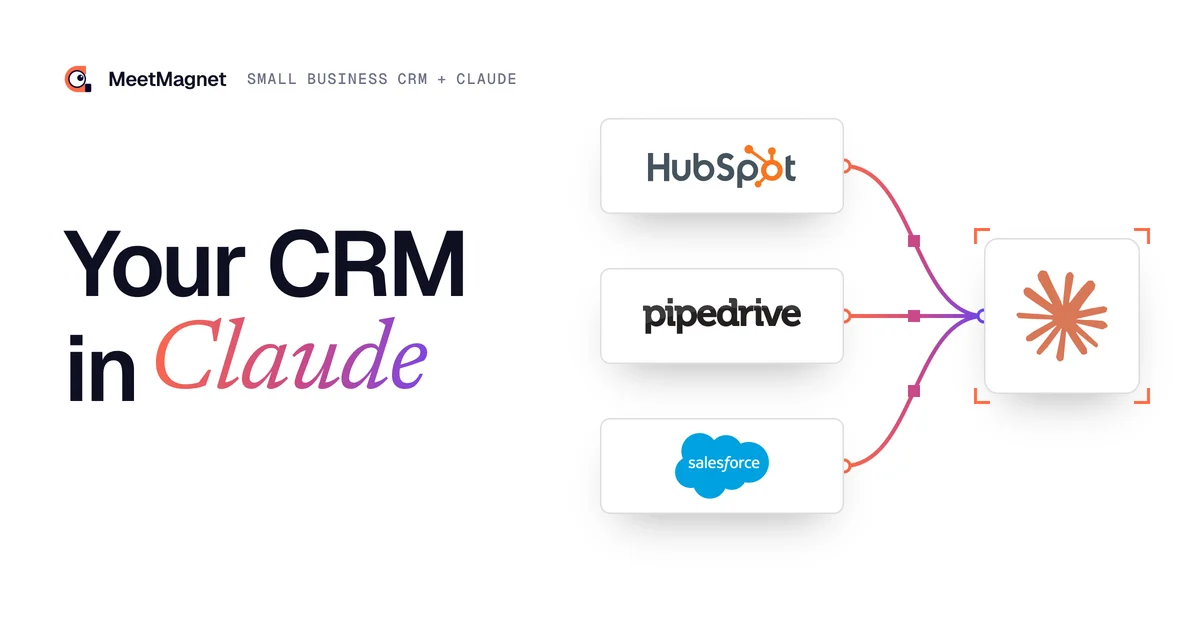
Small business CRM connected to Claude or ChatGPT: track prospects with AI
By Etienne DouillardUpdated 13 min read
Too long, didn’t read?
Ask your favourite AI to summarise this article and pull out the points that matter for your business.

Contents
- What is a small business CRM connected to Claude or ChatGPT?
- Why do so many small businesses still have no CRM?
- What can you ask Claude once it is connected to your CRM?
- Traditional CRM or CRM connected to AI: what changes?
- How do you connect your CRM to Claude or ChatGPT?
- Our open source CRM connected to Claude: what is inside?
- Which mistakes should you avoid when connecting your CRM to AI?
- What about customer data: Claude, ChatGPT or Mistral?
- Do you need a developer to connect your CRM to AI?
- Sources
A small business CRM connected to Claude or ChatGPT is a simple CRM you no longer fill in by hand: you talk to it. “Who should I follow up this week?”, “Sum up this client’s history before my call”, “Add this contact and remind me to follow up on Thursday”. The assistant reads and updates the CRM through a connector called MCP. Here is what changes, how to plug it into an existing CRM, and the open source CRM we share for starting from scratch.
“I don’t know who to follow up… I don’t have a CRM… it drives me mad.” A construction business owner told us this in a meeting this autumn. He is not the only one.
📌 Key takeaways
- A CRM connected to AI does not replace the CRM: it replaces data entry and searching, the two reasons people stop using it.
- The link is MCP, an open standard that lets Claude, ChatGPT or Mistral read and change software.
- Three cases: your CRM already has a connector, it has an API but no connector, or you have no CRM.
- For the last case, our open source CRM crm-template is already connected to Claude and grows by asking the AI.
- Settle one point before plugging in: which data the assistant sees, and what it is allowed to change.
What is a small business CRM connected to Claude or ChatGPT?
A small business CRM connected to Claude or ChatGPT is software for tracking contacts, companies and sales tasks that an AI assistant can read and change when you ask. You ask a question, it queries the CRM, answers and, if you ask, creates a record, a follow-up or a note.
The link relies on MCP (Model Context Protocol). The protocol’s official site describes it as an open source standard for connecting AI applications to external systems, and compares it to a USB-C port: one plug, whatever the device. The CRM exposes a list of tools (“list contacts”, “create a task”…), and the assistant picks which ones to use to answer.

On the Claude side, Anthropic’s help centre explains that you can add a custom connector to a remote MCP server, including on a free account. Mistral has opened the same door in Le Chat, which accepts custom MCP connectors. 🔌
Bottom line: MCP is not a feature of one particular CRM. It is a plug any CRM can offer, and that the main assistants know how to use.
Why do so many small businesses still have no CRM?
Because a traditional CRM has to be filled in, and a small business owner has no time to fill it in. According to Eurostat, in 2025, 24.69% of small enterprises in the European Union used CRM software, against 65.43% of large ones. Three small businesses out of four therefore track prospects some other way: a spreadsheet, a notebook, the inbox, or memory.

In our meetings, the same words keep coming back. One business owner wanted a CRM that was “really basic… not a monster… not expensive”, and found HubSpot too complex for her needs. Another summed it up: “I’ve been doing everything from memory for ten years, I’m maxed out”. 🧠
The cost is real: forgotten “call me back in six months”, late follow-ups, meeting notes nobody can find. Our article on the prospect follow-up email shows how much the timing of a follow-up matters.
Bottom line: the obstacle is not the price of the software, it is the time spent on data entry. A CRM you feed by talking removes that obstacle.
What can you ask Claude once it is connected to your CRM?
You can ask it anything you would ask an assistant who knew the CRM by heart: find, summarise, create, update, prioritise. Here are six useful everyday requests.
- “Who should I follow up this week?” The assistant reads the planned tasks and the contacts who have gone quiet, then gives you a short list with the reason for each follow-up.
- “Sum up this client’s history before my call.” Exchanges, notes and pipeline stage, in ten lines.
- “Add this contact, he just called me, and create a follow-up on Thursday.” The record and the task are created in one sentence. ✍️
- “Which prospects have been stuck at the same stage for more than a month?” Dormant deals come to the surface.
- “Move the ones who said yes to meeting to schedule.” The pipeline updates without dragging cards.
- “What needs my decision?” This is the question we set up for a client swamped with tasks: one view groups the contacts to handle, the meetings, the opportunities and the stuck deals, and he checks it from Claude.

The assistant can also draft the follow-up: the CRM keeps what the prospect told you, and the AI uses it to write at the right moment.
Example
In the CRM: the owner of a building contractor told you in June “get back to me after the summer”. Since then, he has announced on LinkedIn that a second branch opens in January.
Follow-up that starts from nothing: “Hi Paul, I’m just following up on our conversation in June. Do you have a moment to talk again?”
Follow-up that gets a reply: “Hi Paul, you asked me to get back to you after the summer. I see the second branch opens in January: is tracking jobs across two sites something for now, or more for after the opening?”
The second follow-up builds on the CRM note and on a new fact, then asks a simple question. 💡 Without the note, you could not write it. To pick up these old contacts at the right moment, see also our method to reactivate old prospects.
Bottom line: AI does not make the CRM smarter, it makes it usable. The notes you dictate today make tomorrow’s good follow-ups.
Our open source CRM, already connected to Claude
The code is public: copy it, deploy it, then grow it by asking the AI.
Traditional CRM or CRM connected to AI: what changes?
What changes is how you use it, not the data: you move from forms and filters to requests in plain English.
| Use | Traditional CRM | CRM connected to AI |
|---|---|---|
| Enter a contact or a note | Form, field by field | One sentence to the assistant |
| Find information | Search, filters, export | One question |
| Know who to follow up | Remember, or a view to configure | “Who should I follow up this week?” |
| Prepare a meeting | Reread the record and the emails | A ten-line summary |
| Review the pipeline | Fixed dashboard | One question, the answer and the detail |
| Add a feature | Ask the vendor, or upgrade the plan | Ask the AI that codes (open source CRM) |
⚠️ One caveat: AI reads what is written. An empty CRM stays empty, even connected to Claude. The difference is that it becomes much easier to fill in.
Bottom line: you do not change CRM to get AI. You add a plug, and data entry becomes a conversation.
How do you connect your CRM to Claude or ChatGPT?
You connect a CRM to Claude or ChatGPT in three ways, depending on what you already have, always with the same idea: an MCP server that exposes the CRM’s data, and an assistant that connects to it.
- Your CRM already has a connector. This is the simplest case. HubSpot, for example, says it offers connectors for ChatGPT, Claude, Gemini and Copilot. You enable the connector in the assistant, sign in with your CRM account, and you are ready.
- Your CRM has an API, but no connector. You build a small MCP server plugged into that API. If you already keep a customer base elsewhere, start with read-only access: the assistant looks things up, nothing is overwritten, no duplicates are created.
- You have no CRM. Start from a simple CRM already connected to AI, then add what you are missing as you go. This is the case we published ours for.

Our open source CRM connected to Claude: what is inside?
Our open source CRM is called crm-template. It is a vibe-coded CRM, meaning written with AI, that contains only the bare minimum. Its strength: it is connected to Claude from installation, and you grow it by asking the AI.
What it contains:
- Contacts, as a list or a kanban board, with a category (lead, prospect, client…) and a stage in the sales journey, from first contact to signature.
- Companies, with their contacts.
- Tasks: emails, calls, LinkedIn messages, meetings, notes, with a due date and a status.
- Sales statistics: activity and cohorts (first meeting, proposals, signatures).
- An email and password login, custom columns and saved views.
Technically, it is a Next.js application with a SQLite database (via Prisma), shipped with a Dockerfile and a configuration for the Railway hosting platform. The MCP connector offers 18 tools: read, create, update and delete contacts, companies and tasks, complete a task and add a note.
To plug it into Claude, you copy the URL shown in the CRM settings (it ends in /mcp), add it as a custom connector in Claude, then authorise access in the browser with your CRM account: no key to paste. Cursor connects too, with a secret token.
And that is where you customise it: you ask Claude Code or Cursor to “add a LinkedIn field on companies” or “add a button to export contacts as CSV”, and the AI changes the code. The repository is deliberately simple, with no Gmail, LinkedIn or Stripe by default: each integration is added when you need it. 🚀
How do you install it, step by step?
We explain everything on our page Prepare your CRM (in French). In short:
- Create a GitHub account, where your CRM’s code will live.
- Create a Railway account, where it will be hosted, and connect Railway to GitHub.
- In Claude Code, connect GitHub, then ask it to clone crm-template into a private repository in your name and adapt it to your business.
- Then ask it to deploy the CRM on Railway, with a volume so the data is not wiped at every update.
- Plug the CRM into Claude as a custom connector.
The repository’s guide estimates 15 to 30 minutes for a first deployment. 📅 If you would rather not do it alone, we finish the setup together after these steps.
Which mistakes should you avoid when connecting your CRM to AI?
The most common mistake is opening everything at once, without testing. An assistant that can delete records will end up deleting one you wanted to keep.
- ❌ Granting every permission on day one. Start read-only, add write access once the answers are right.
- ❌ Connecting AI to a duplicate database. If your clients already live in invoicing software or another CRM, read them, do not copy them.
- ❌ Writing a password or token in the code. The crm-template guide says it plainly: secrets go in the host’s variables, never in the repository.
- ❌ Forgetting backups. Without a volume or a backup, a redeployment can wipe your data.
- ✅ Reviewing what the assistant writes to your clients. It drafts the follow-up, you send it. It is the same split as with an AI SDR: AI prepares, the human decides.
Bottom line: treat the assistant like a new colleague. You give it the address book first, not the accounts.
What about customer data: Claude, ChatGPT or Mistral?
It is a question that often comes up in meetings. A wealth management adviser told us that “giving access to my Claude account” bothered him; another business owner did not want to “put his client base” with a US provider. 🔒 Both are right to ask.
What you need to know:
- The CRM and its code belong to you: the repository is on your GitHub, the CRM on your hosting.
- What the assistant reads to answer you goes through its provider: Anthropic for Claude, OpenAI for ChatGPT.
- If that is a deal-breaker, you can use Le Chat by Mistral, a French provider, or run an open source model on a server in Europe, so the data stays there.
- In every case, limit what the connector exposes to the data that sales actually needs.
For the legal side of your prospect files, our article on GDPR in B2B prospecting covers the essentials.
Do you need a developer to connect your CRM to AI?
No, but you need to know where to start. In France, according to Insee, 18% of companies with 10 or more employees used AI in 2025, and among those that do not, 54% cite a lack of expertise.
Three ways to move forward:
- 🧰 On your own: follow our preparation page and the repository’s guide.
- 🤝 With us, quoted per project: our AI Integration installs Claude, ChatGPT or Mistral, connects your tools to the CRM through MCP, builds what is missing and trains your team. The code stays in your name.
- 🎯 With your prospects already inside: MeetMagnet spots buying signals on LinkedIn, and its MCP connector makes it available from Claude. With both connectors, you can ask Claude to add the prospects who replied positively to the CRM.
To go further on AI before the meeting, our guide to AI prospecting reviews twelve uses.
Your CRM connected to AI, installed with you
Prepare your accounts in fifteen minutes, we plug in the rest together.
A small business CRM does not need to be complete to be useful: it needs to be filled in, and searchable with one question. Connected to Claude or ChatGPT, it becomes the place where you dictate what happened and ask what to do next. Start small, read-only, then let it grow with your requests. 👋
Sources
- “What is the Model Context Protocol (MCP)?”, Model Context Protocol, accessed 5 November 2026, https://modelcontextprotocol.io/docs/getting-started/intro
- “Get started with custom connectors using remote MCP”, Claude Help Center, accessed 5 November 2026, https://support.claude.com/en/articles/11175166-getting-started-with-custom-connectors-using-remote-mcp
- “Le Chat. Custom MCP connectors. Memories.”, Mistral AI, accessed 5 November 2026, https://mistral.ai/news/le-chat-mcp-connectors-memories/
- “Your HubSpot context in every AI tool”, HubSpot, accessed 5 November 2026, https://www.hubspot.com/ai-tools
- “E-business integration”, Eurostat, Statistics Explained, 2025 data, accessed 5 November 2026, https://ec.europa.eu/eurostat/statistics-explained/index.php?title=E-business_integration
- “Les technologies de l’information et de la communication dans les entreprises en 2025”, Insee Première no. 2120, accessed 5 November 2026, https://www.insee.fr/fr/statistiques/9025878
- “crm-template” repository (README, data schema, MCP server), MeetMagnet on GitHub, accessed 5 November 2026, https://github.com/MeetMagnet/crm-template
- MeetMagnet meeting notes, August to October 2026 (quotes anonymised).
Frequently asked questions
Which CRM should a small business start with?
The simplest one your team will actually fill in: contacts, companies, tasks and a pipeline. A small business getting started does not need a hundred features, it needs a tool where nothing gets lost. If it opens up to AI through an MCP connector, data entry and searches become simple questions in plain English.
Can you connect ChatGPT to your CRM?
Yes, if the CRM offers a ChatGPT connector or an MCP server. HubSpot advertises connectors for ChatGPT, Claude, Gemini and Copilot. For a CRM without one, a small MCP server plugged into its API is enough. Our open source CRM is documented for Claude and Cursor; for another assistant, we check case by case.
Does my customer data go to the United States if I use Claude?
The CRM stays on your server, but what the assistant reads to answer you goes through its provider: Anthropic for Claude, OpenAI for ChatGPT, both US companies. If that is a deal-breaker, Mistral's Le Chat also accepts MCP connectors, and an open source model can run on a server in Europe.
Do you need to code to use an open source CRM connected to AI?
Not to use it, and only a little method to install it. Our crm-template repository is written for people who do not code: you copy it on GitHub, deploy it on Railway, then plug Claude in with a URL. To change it, you describe what you need to Claude Code or Cursor, and they edit the code.
How much does an AI-connected CRM cost a small business?
It depends on where you start. A CRM that already has a connector costs its subscription, plus the AI assistant's. Our open source CRM is free: you pay for hosting and the assistant. When everything needs installing, several tools connecting and the team training, our AI Integration is quoted per project.
What is the difference between a CRM with built-in AI and a CRM connected to Claude?
A CRM with built-in AI adds features chosen by the vendor: a score, a summary, a suggestion. A CRM connected to Claude or ChatGPT through MCP lets the assistant of your choice read and change your data on request, and cross-check the CRM with your email, your calendar or your prospecting tools.
Etienne Douillard
Co-founder and CEO, MeetMagnet
An engineer and entrepreneur for over five years, Etienne works every week with B2B SMEs on signal-based prospecting.
From intent to booking
MeetMagnet spots who has a reason to talk to you right now, writes the opener that stands out, and a real person keeps it on track.