Claude skills for prospecting: the free pack (buying signals, openers, meetings)
By Etienne DouillardUpdated 13 min read
Too long, didn’t read?
Ask your favourite AI to summarise this article and pull out the points that matter for your business.

Contents
- Claude skills for prospecting: what are we talking about?
- What is the difference between a skill, a prompt and an MCP connector?
- What is inside our free pack of Claude skills for prospecting?
- How do you download the pack of Claude skills for prospecting?
- How do you install skills in Claude?
- Which mistakes should you avoid with Claude skills for prospecting?
- What are the limits of skills for prospecting?
- Sources
“Claude skills for prospecting”, “Claude skills for sales”, “prospecting with Claude”: plenty of salespeople and SME owners are looking for a way to make Claude work with a real prospecting method, rather than with a prompt copied from a LinkedIn post. Skills are the simplest answer. Here is what a skill is according to Anthropic’s documentation, how it differs from a prompt and an MCP connector, what is inside our free pack of six prospecting skills, and how to install it in five minutes.
📌 Key points
- A skill is a folder with a
SKILL.mdfile: Claude only reads its instructions when your request matches. - A prompt helps once, a skill keeps the method, an MCP connector gives access to data. The three complement each other.
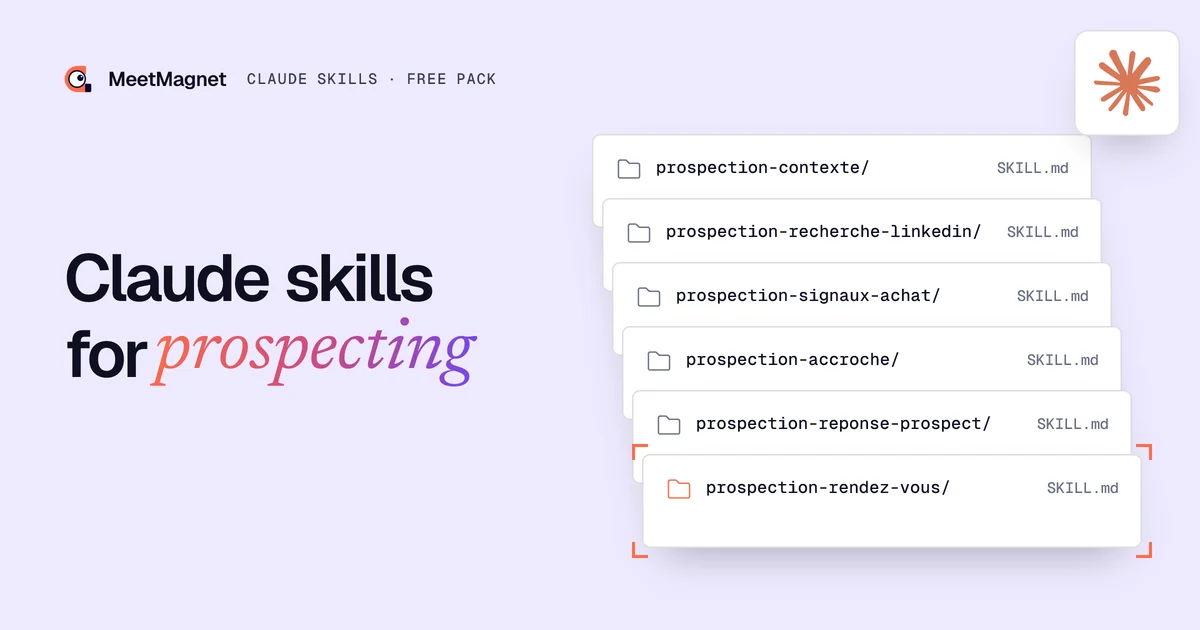
- Our pack holds 6 skills written in French: context, buying signals, LinkedIn search, opener, prospect reply, meeting.
- Three rules run through it: never mention a like, the signal does not have to be named, and you offer time slots rather than a booking link in a first message.
- It installs in Claude (Customize > Skills) or in Claude Code (
~/.claude/skills/), with no code.
Claude skills for prospecting: what are we talking about?
A Claude skill for prospecting is a folder of instructions that teaches Claude a specific sales method, for example writing an opener from a buying signal. Anthropic defines skills as folders of instructions, scripts and resources that Claude loads dynamically to do better on specialised tasks (Anthropic help center). In the Claude app, they live under Customize, then Skills.
It works through progressive disclosure. At startup, Claude only loads the name and description of each installed skill. When a request matches a description, it reads the whole SKILL.md file, then any extra files if needed (Anthropic, October 2025). So you can install several skills without cluttering the conversation.
A SKILL.md starts with two required fields: name, in lowercase and hyphens, identical to the folder name, and description, 1,024 characters at most, which says what the skill does and when to use it (Agent Skills specification). The rest is Markdown: the steps, the rules, the examples, the expected output. 💡 You do not need to code to read or edit one.
Takeaway: a prospecting skill is your sales method written down once, which Claude applies every time the task comes up.
What is the difference between a skill, a prompt and an MCP connector?
A prompt is a one-off instruction: it helps once, then gets lost in a document. A skill keeps the method and triggers on its own when the task comes back. An MCP connector holds no method at all: it links Claude to an outside tool (CRM, inbox, prospecting tool) and gives it access to data and actions.
Anthropic puts it this way: MCP gives Claude access to tools, skills teach it how to use them well (Anthropic help center). For prospecting, that makes a clean split. The connector finds the prospects and their signals, the skill decides what to write and how to reply. We covered the connector side in our tutorial on prospecting with Claude through MCP.

Takeaway: the prompt helps once, the skill helps every time, the connector brings the data. The best results come from the last two together.
What is inside our free pack of Claude skills for prospecting?
The pack holds six skills written for B2B SMEs that prospect on LinkedIn and by email. They are written in French: Claude follows them whatever your language and writes in your prospect’s language, and if you would rather read the instructions in English, our 40-skill marketing pack covers the same chain. They follow the method we apply every day: a buying signal gives the right moment, an opener built on that signal gets a reply, and the reply leads to the meeting. They are MIT-licensed, plain text only, and each file ends with a short note on where it comes from.
| Skill | What it does | Example request |
|---|---|---|
| prospection-contexte | Interviews you once and writes a brief that the other skills read | “Prepare my prospecting context” |
| prospection-signaux-achat | Lists, qualifies and describes the buying signals that matter for your offer | “Which signals should I track to sell industrial maintenance?” |
| prospection-recherche-linkedin | Writes 10 ranked LinkedIn searches, for topics and for moments | “Find searches to spot SMEs hiring salespeople” |
| prospection-accroche | Writes the first message from a signal, in three steps | “Write an opener for this prospect” |
| prospection-reponse-prospect | Sorts the prospect’s reply into 7 types and drafts what comes next | “He already has an agency, what do I say?” |
| prospection-rendez-vous | Takes the exchange to a meeting: two slots, email confirmed | “He is interested, offer him a meeting” |

The foundation: prospection-contexte
🎯 Run it first. It asks you about fifteen questions in small batches: what you sell, to whom, what happened at your last three customers the month before they first got in touch, the proof you can verify, your tone, your time slots. It then writes a contexte-prospection.md file. Whatever it does not know stays marked “À COMPLÉTER” (to be completed): the other skills will not guess it.
Finding the moment: buying signals and LinkedIn search
prospection-signaux-achat separates two families. A moment is something that happens to the person: a hire, a new site, a new role. An interest is a topic on their mind: they comment, share, ask questions. The skill rates each signal from weak to strong and describes it in plain words. To go further on the idea, read our definition of a business signal.
prospection-recherche-linkedin turns those signals into searches. Its main rule fits in one line: simple keywords, no quotation marks, for a topic; a short Boolean search, an action plus a context, for a moment. 🔎 Quotation marks around a topic almost always drop the results to zero.
Writing: prospection-accroche
This is the most detailed skill in the pack. It reads the signal type, builds the opener by crossing the person, the signal and the problem you solve, then writes three to six lines that end with one easy question. It rejects the phrases everyone recognises, such as “I hope this finds you well”.
Example
Signal: the managing director of a small manufacturer posts that he is opening a second workshop.
Opener that falls flat: “Hi Paul, I saw your post. We help manufacturers optimise their maintenance. Would you have 15 minutes this week?”
Opener that gets a reply: “Hi Paul, a second workshop is often when maintenance can no longer be run from memory. Are you planning to keep the same team across both sites?”
The first one talks about the sender and asks a stranger for a meeting. The second starts from the fact, says what it implies and asks a question Paul can answer in one line. We explain why this kind of message reads like a human, not like an AI, in our article on hyper-personalised outreach with AI.
The skill also applies two rules that matter a lot to us. ⚠️ A like is never mentioned: “I saw you liked” is the worst possible opening, because a like is a private gesture. A post or a comment can be used, a like never, as we explain in LinkedIn likes as a buying signal. And the signal does not have to be named: often, the best message talks about the situation without saying how you spotted it.

Replying: prospection-reponse-prospect
A reply that is misread gets a bad answer, however well written. This skill first sorts the reply into seven types: yes, lukewarm interest, objection, no, not now, wrong person, question. It also reads the person’s role (decision-maker, champion, influencer or gatekeeper) and what they really mean. Then it drafts the next message: a question that starts from the objection rather than a sales pitch, a precise date to pick things up again rather than “I’ll get back to you”.
Closing: prospection-rendez-vous
📅 It takes the exchange to a confirmed meeting. One question per message, qualification slipped into the conversation, then two precise slots: “Tuesday 2pm or Thursday 9:30am, 20 minutes on video?”. No booking link in a first message: the link only comes after a yes, if neither slot works. The meeting only counts as booked once the prospect has confirmed their email.
Takeaway: six skills that hand over to each other, from context to meeting, with a method written in black and white that you can read and correct.
Get the 6 prospecting skills
The full pack, with one zip per skill ready to import into Claude.
How do you download the pack of Claude skills for prospecting?
👉 Leave your first name, last name and email in the form below: the zip downloads straight away. It holds the six folders, a README file, the MIT licence and a zips-claude-ai folder with one zip per skill, the format the Claude app expects.
Before installing any skill, read it: Anthropic recommends installing skills only from trusted sources and reviewing their content before turning them on (Anthropic help center). For example, you can read our opener skill in full before downloading the pack. 📖
How do you install skills in Claude?
Installation takes five minutes and needs no code. It depends on where you use Claude.
In Claude, on the web or the desktop app (official steps):
- Open Settings > Capabilities and turn on code execution and file creation (Create and edit files). Skills need it to work.
- Go to Customize > Skills.
- Click “+”, then “Create skill”, then “Upload a skill”.
- Import one skill’s zip from the
zips-claude-aifolder. Repeat for all six. - Check that each skill is turned on in the list.

In Claude Code, copy the six folders into ~/.claude/skills/ so they work in all your projects, or into .claude/skills/ at the root of one project (Claude Code documentation). Type /skills to check they are loaded. Good news: skills turned on in your Claude account also sync to Claude Code when you sign in with the same account.
In another tool that reads the open Agent Skills standard, copy the folders to the place its documentation gives. The content does not change.
Then run prospection-contexte once, review the brief it writes, and ask for your tasks in plain words. You can also name the skill: “use prospection-accroche for this prospect”. ✅
Takeaway: Customize > Skills in Claude, ~/.claude/skills/ in Claude Code, and a first pass through the context skill.
Which mistakes should you avoid with Claude skills for prospecting?
A well-written skill does not protect you from everything. Here are the mistakes we see most often.
- Skipping the context. Without a context brief, the opener skill writes a correct but generic message. Ten minutes of questions at the start change everything.
- Installing two skills that do the same job. If you already have our 40-skill marketing pack, in English, its prospecting skills cover the same ground. Keep one or the other for these tasks: with two similar descriptions, Claude picks at random.
- Sending without reading. Skills produce drafts. One fact misread in a post, and the opener falls flat. 🧐 Read every message before it goes out.
- Mentioning the like anyway. It is tempting when the like is the only signal. The skill forbids it for good reason: talk about the topic, as a common topic in the person’s line of work.
- Pasting a booking link too early. A booking link in a first message looks like a campaign. Two precise slots, after a reply, look like a conversation.
- Forgetting the rules. In France, B2B email prospecting is allowed without prior consent if the message relates to the person’s job and they can easily object (CNIL); check the rules in your own country. The skill writes the message, you remain responsible for sending it.
Takeaway: a filled-in context, one pack per task, systematic review, and neither a mentioned like nor a booking link in the first message.
What are the limits of skills for prospecting?
A skill teaches Claude a method, it gives it neither data nor hands. Three limits to know before you start.
- It does not find prospects on its own. The search skill writes the queries; someone still has to run them, read the posts and note the signals. Without a connector, you paste the profile and the post into the conversation.
- It does not watch anything. A buying signal is worth something for a few days. A skill does not warn you when a prospect posts: it waits to be asked.
- It does not replace judgement. Choosing your target, sensing that a reply is a polite exit, running the meeting: that stays human, as we explain in our article on the AI SDR.
That is where skills and a tool complement each other. MeetMagnet spots buying signals on LinkedIn every day (posts and interactions), suggests an opener drawn from each signal, which you review, then sends it on LinkedIn and by email. It connects to Claude through an MCP connector. The Self-serve plan costs €149 per month excl. VAT; the Managed plan, at €299 per month excl. VAT, adds someone from our team who calibrates the target, signals and openers with you. 🤝
Prospecting skills do not make Claude sell in your place. They give it your method, written once, applied every time: the right moment, the right opener, the right reply, then the meeting. Download the pack, fill in the context, test the opener on three real prospects this week, and keep what works. 🚀
Sources
- “What are skills?”, Anthropic help center, accessed 6 November 2026, https://support.claude.com/en/articles/12512176-what-are-skills
- “Use skills in Claude”, Anthropic help center, accessed 6 November 2026, https://support.claude.com/en/articles/12512180-use-skills-in-claude
- “Equipping agents for the real world with Agent Skills”, Anthropic, 16 October 2025, accessed 6 November 2026, https://www.anthropic.com/engineering/equipping-agents-for-the-real-world-with-agent-skills
- “Specification”, Agent Skills, accessed 6 November 2026, https://agentskills.io/specification
- “Extend Claude with skills”, Claude Code documentation, accessed 6 November 2026, https://code.claude.com/docs/en/skills
- “La prospection commerciale par courrier électronique, SMS-MMS et automate d’appel”, CNIL, accessed 6 November 2026, https://www.cnil.fr/fr/la-prospection-commerciale-par-courrier-electronique-sms-mms-et-automate-dappel
- MeetMagnet “Claude skills for prospecting” pack, 6 skills, MIT licence, 6 November 2026
Frequently asked questions
What is a Claude skill?
A Claude skill is a folder that holds a SKILL.md file: a name, a description, then instructions in Markdown, sometimes with extra files. Claude first reads the name and description of every installed skill, then loads the full instructions only when your request matches. Skills sit under Customize, then Skills, in the Claude app.
Are Claude skills available on a free account?
Yes. According to Anthropic's help center, skills are available on the Free, Pro, Max, Ultra, Team and Enterprise plans, as long as code execution and file creation are turned on in settings. They also work in Claude Code. On Team and Enterprise plans, an admin can restrict their use.
Where do you install a skill in Claude?
In Claude on the web or the desktop app: Customize, then Skills, the "+" button, "Create skill" and "Upload a skill", with one zip file per skill. In Claude Code: copy the skill folder into ~/.claude/skills/ for all your projects, or into .claude/skills/ for a single project.
What is the difference between a Claude skill and an MCP connector?
An MCP connector links Claude to an outside tool and gives it access to data or actions: your CRM, your inbox, a prospecting tool. A skill teaches it a method: how to qualify a signal, write an opener, handle an objection. The two work together: the connector brings the data, the skill says what to do with it.
Do prospecting skills work with AI tools other than Claude?
The skill format is published as an open standard, Agent Skills, on agentskills.io: any tool that adopts it reads the same SKILL.md folders. Only the place where you copy the folders changes from one tool to the next. Our pack is plain text with no scripts, which makes it easy to reuse.
Can a skill send messages for me?
No, not on its own. A skill only holds instructions: it helps Claude prepare a draft message or reply. To send anything, you need a tool connected to Claude, for example through an MCP connector, and your approval. Our skills are written to produce drafts you review before sending.
Etienne Douillard
Co-founder and CEO, MeetMagnet
An engineer and entrepreneur for over five years, Etienne works every week with B2B SMEs on signal-based prospecting.
From intent to booking
MeetMagnet spots who has a reason to talk to you right now, writes the opener that stands out, and a real person keeps it on track.