Instagram automated messages: the limits for prospecting without getting your account blocked
By Etienne DouillardUpdated 11 min read
Too long, didn’t read?
Ask your favourite AI to summarise this article and pull out the points that matter for your business.
Contents
- Instagram automated messages: what does Meta allow?
- Instagram DM limits: how many messages can you send per day?
- What gets an Instagram account blocked?
- Action block, restricted account, suspended: what is the difference?
- How do you unblock a blocked or restricted Instagram account?
- Follow-unfollow to gain followers: good or bad idea?
- How does MeetMagnet protect its clients’ Instagram accounts?
- Sources
Instagram automated messages sent to people who don’t follow you can win you conversations, or get an account that matters to your business blocked. It all depends on how you send. Here is what Meta really allows, the Instagram DM limits per day depending on the age of your account, what triggers a block, how to get out of one, and the sending rules we put in place for our clients’ accounts.
📌 Key points
- Meta publishes no official limit on messages per day: the figures going around come from user reports.
- Instagram’s official API only lets you reply to someone who wrote to you or commented on your posts, for a limited time (24 hours in most cases).
- Benchmarks not confirmed by Meta: 5 to 20 first messages a day for a new account (start at 5), 20 to 50 for an established account, and never more than 10 actions an hour.
- What gets you blocked: bursts, identical texts, links in the first message, and messages that are ignored or reported.
Instagram automated messages: what does Meta allow?
Instagram allows automated messages within a narrow official framework: replying to someone who has interacted with you. The Instagram Messaging API documentation says it clearly: a business can only send a message after the person has written to it, usually within a 24-hour window (7 days with the “human agent” tag). A business can also send a single private reply, within 7 days, to someone who commented on one of its posts. Messages from non-followers land in the “Requests” folder.
The direct consequence: writing first to a stranger is impossible through the official route. Every tool that does it goes through an Instagram account session, yours or the provider’s, just as the app would. It is technically common, but it is not a partnership with Meta.
On top of that, Instagram’s Terms of Use forbid accessing or collecting information in unauthorized ways, including in an automated way without express permission, and Meta’s spam policy targets actions done “at very high frequencies”, whether by hand or automatically. Meta adds that it may also restrict a less active account when other signs of spam appear, such as repetitive content. In practice, it is mostly behavior that triggers penalties, but unauthorized automated access still goes against the Terms of Use.
Takeaway: automated cold prospecting on Instagram always happens outside the official API. The risk is therefore never zero; you manage it through pace and message quality.
Instagram DM limits: how many messages can you send per day?
Meta publishes no cap on messages per day. The benchmarks going around come from user reports and are not confirmed by Meta. They vary, but 3 points keep coming up: a message to a stranger is the riskiest, the age of the account matters a lot, and the ramp-up must be gradual.
| Benchmark | New account (under 3 months) | Established account | Pace |
|---|---|---|---|
| MeetMagnet rules | 5, then 10 a day, one week each | 50 first messages a week at most from week 3, then adjusted account by account | 10 actions an hour at most, between 9 am and 7 pm, Monday to Friday |
| Figures going around, not confirmed by Meta | 5 to 20 first messages a day | 20 to 50 first messages a day | About 10 actions an hour at most |

“Actions” mainly cover first messages, follows, likes and comments. Replying to messages you receive carries less risk. An account that prospects and also follows in bulk uses up its margin much faster.
For a new account, as a precaution and with no official rule from Meta, plan a 2-week warm-up: no messages for the first 3 days, then a few messages to people close to you and to those who comment on your posts, then 5 cold first messages a day, increased step by step if the reply rate is good.
Takeaway: aim for the bottom of the range for your category, step up one week at a time, and never go over 10 actions an hour (fewer for a new account).
What gets an Instagram account blocked?
An Instagram account gets blocked when its behavior looks like a bot’s or a spammer’s. Instagram’s help page on accounts restricted for automated data collection gives three causes: an account accessing information in an automated way without permission, login details handed to a third-party app, and using an app to interact with Instagram in unauthorized ways. In practice, these are the signals that come up most often in user reports.
- ⚡ Bursts: lots of messages in a few minutes, or at perfectly regular intervals.
- 📋 Identical texts: the same message copied to dozens of people.
- 🔗 Links in the first message, especially to an unknown site or a shortened link.
- 🙈 Messages ignored, declined or reported: a low reply rate tells Instagram your messages are unwanted.
- 📈 Sudden change: a new or dormant account that goes from 0 to 50 messages a day.
- 🌍 Inconsistent logins: changing country, VPN or device several times a day.
- 🔁 Follow-unfollow in volume: following then unfollowing hundreds of accounts to attract a few.

Takeaway: you control almost all of these signals. Volume is only one of the seven, and message quality settles three of them.
Prospect on Instagram with cautious sending rules
First messages written for each person, at the right pace, without your account doing the searching.
Action block, restricted account, suspended: what is the difference?
Instagram applies penalties of increasing severity. Recognizing them lets you react without making things worse.
| What you see | What is happening | Observed duration | What to do |
|---|---|---|---|
| A message such as “Action Blocked” or “Try Again Later”, sometimes with an end date | Action block on one feature | 24 to 48 h the first time, 3 to 7 days after that | Stop everything until the date shown |
| A message flagging automated behavior on the account | Warning | None: it is a warning | Stop everything for 48 h, check your logins and the tools that have access to the account (Instagram’s message asks you to), then resume at half the volume |
| Request for a code or a selfie at login | Security check | Until you verify | Verify in the official app |
| A message saying the account is suspended | Suspension | Until Meta decides | Appeal from the notification |
These durations are rough estimates from user reports: Meta publishes none. The notification itself often shows an end date: that is the only one that counts.
Takeaway: an action block is a warning, not a conviction. Repeating the behavior in the following days sharply increases the risk of suspension.
How do you unblock a blocked or restricted Instagram account?
A blocked account gets unblocked mainly by stopping what caused the block, then letting time pass. To secure the account, Meta’s help page recommends removing suspicious third-party apps, changing your password if you see suspicious activity (which logs out every device, tools included), turning on two-factor authentication and checking recent logins.
The most cautious approach, in order:
- 🛑 Stop all sending until the date shown, or for at least 48 hours. Every attempt during the block can extend it.
- 🔐 Secure the account: two-factor authentication, password, list of connected devices in the settings.
- 📱 Stay on the same device and the same connection: don’t switch VPN or phone to “get around it”.
- 🤝 Restart with warm conversations: reply to the messages you receive, post as usual.
- 📉 Resume prospecting at no more than half your previous volume, then build back up over two to three weeks.

If your account is suspended, appeal from the notification or the login screen. Be wary of paid services that promise to “unblock” an account: only Meta lifts a suspension.
Takeaway: to get out of a block, pause, then resume at no more than half the volume. Restarting at the same pace reproduces the same block.
Follow-unfollow to gain followers: good or bad idea?
Follow-unfollow means following lots of accounts so they follow you back, then unfollowing them. It works for a while, but it is one of the most closely watched behaviors: serial, high-frequency follows are exactly what Meta’s spam policy targets.
It also has a hidden cost: an account that follows far more accounts than it has followers looks artificial to visitors, and followers gained this way are rarely interested in what you offer.
Example
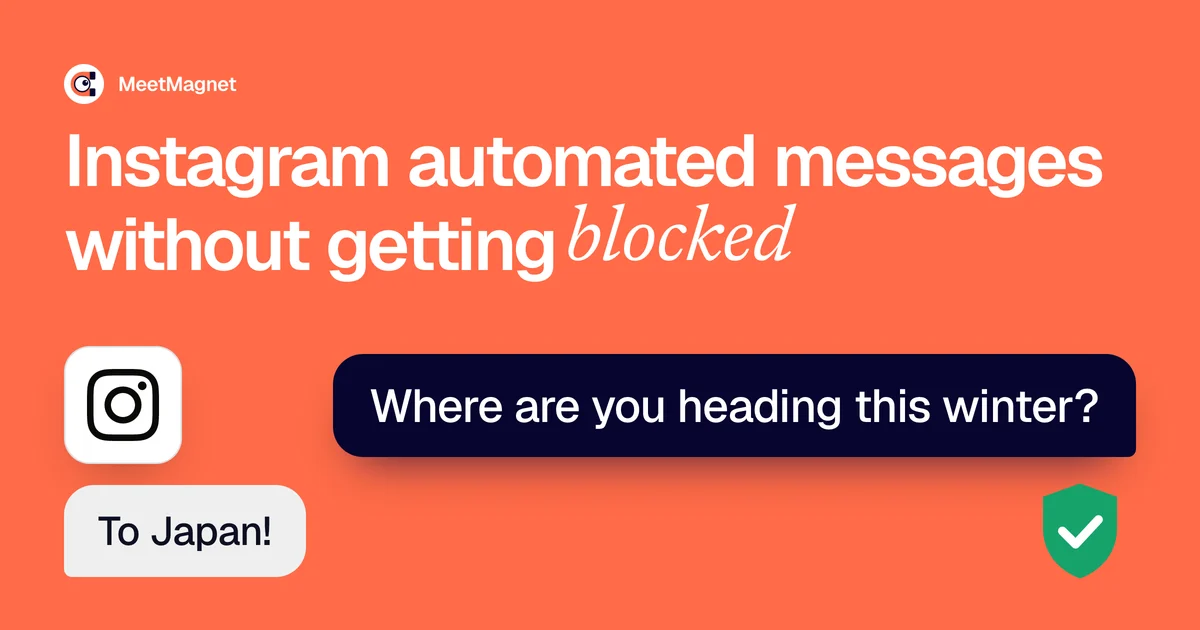
A travel advisor has 2,000 followers. Instead of following 200 accounts a day, he writes to 15 people who have just commented on a travel deals account: “Where are you heading this winter? I’m putting together a selection of hotels at member prices for the February holidays.” Some reply, others visit his profile, see his Reels and follow him on their own.
Takeaway: to grow a community, a useful first message that leads to your profile beats hundreds of automated follows.
How does MeetMagnet protect its clients’ Instagram accounts?
Our principle: your account only does what a human would do themselves, that is, visit the profiles of the selected people, follow them, write to them and reply. The prospect search happens outside your account.
- 🔎 The prospect search doesn’t go through your account. We find prospects on the public web and with our own tools. Your account then visits the profiles of the selected people only and follows them before writing to them, as a human would.
- 🐢 A step-by-step ramp-up: 5 first messages a day the first week, 10 a day the second, and after that 50 a week at most, adjusted account by account over time.
- ⏱️ A human pace: at most 10 actions an hour, random intervals, between 9 am and 7 pm, Monday to Friday.
- ✍️ Every message is different, written from what the person has posted or commented, reviewed by an automatic quality check, with no link by default in the first message.
- 💬 A single first message per person, and few follow-ups, according to the sequence chosen with you, stopped as soon as there is a reply.
- 🚫 No follow-unfollow: we only follow the people we write to, a few a day.
- 🛟 An automatic stop: if Instagram reports a block, a 48-hour pause, then a restart at half the volume. After several sending errors in a day, a stop until the next day. Our team is alerted and contacts you.

These rules reduce the risk as much as possible, without eliminating it: Meta’s rules apply to every tool, and we control neither what else you do with your account nor tomorrow’s rules. Instagram is not included in the Self-serve plan: it is wired in case by case as part of the multi-source option of the Managed plan, from €299 excl. VAT per month, with a person who calibrates targeting and pace. The same logic applies to LinkedIn, detailed in our article on the restricted LinkedIn account.
An Instagram automated message is never risk-free, but what most often gets an account blocked is a robot’s cadence. A few messages, sent slowly, to chosen people and with a text written for them, protect your account and get more replies. For how to write that first message, see our advice on outreach that doesn’t sound like AI.
Sources
- “Send Messages” (Instagram API with Instagram Login), Meta for Developers documentation, updated 28 September 2026, accessed 6 November 2026, https://developers.facebook.com/docs/instagram-platform/instagram-api-with-instagram-login/messaging-api
- “Terms of Use”, Instagram, accessed 6 November 2026, https://help.instagram.com/581066165581870
- “Send a Private Reply to a Commenter”, Meta for Developers documentation, accessed 6 November 2026, https://developers.facebook.com/documentation/instagram-platform/private-replies
- “Why your account has been restricted for data scraping and what can you do”, Instagram Help Center, accessed 6 November 2026, https://help.instagram.com/740480200552298/
- “Spam”, Meta Community Standards, accessed 6 November 2026, https://transparency.meta.com/policies/community-standards/spam/
Frequently asked questions
Does Instagram allow automated messages?
Yes, within strict limits. Meta's official API lets you automatically reply to someone who wrote to you or commented on your posts, for a limited time (24 hours in most cases), but not write first to a stranger. Tools that do so use an unofficial connection, technically possible but outside what Instagram's terms provide for, so the risk is never zero.
How many Instagram messages can you send per day without being blocked?
Meta gives no daily figure. The benchmarks going around are 5 to 20 first messages a day for an account under 3 months old and 20 to 50 for an established account, with no confirmation from Meta. Start at 5 a day and step up one week at a time.
How long does an Instagram action block last?
Instagram announces no official duration and often shows an end date in the notification. According to user reports, a first block often lasts 24 to 48 hours, and a second one several days. During the block, send nothing at all: every new attempt can extend it.
Is automated follow-unfollow risky?
Yes, it is one of the most closely watched practices. Meta's spam policy targets interactions done at very high frequency, whether by hand or automatically, and follow-unfollow in volume typically matches that behavior. To gain followers, a useful first message that makes people want to visit your profile is safer.
Should you give your Instagram password to a prospecting tool?
Meta advises against it: it lists sharing your login details with a third-party app among the causes of restriction. If you still use a tool connected to your account, keep two-factor authentication on, check recent logins in the app and choose a tool that limits what it does from your account: no bulk searching or follow-unfollow, and follows only for the people it writes to.
Etienne Douillard
Co-founder and CEO, MeetMagnet
An engineer and entrepreneur for over five years, Etienne works every week with B2B SMEs on signal-based prospecting.
From intent to booking
MeetMagnet spots who has a reason to talk to you right now, writes the opener that stands out, and a real person keeps it on track.