LinkedIn account restricted or blocked: why, how long, and how to prospect safely
By Etienne DouillardUpdated 13 min read
Too long, didn’t read?
Ask your favourite AI to summarise this article and pull out the points that matter for your business.

Contents
- Why is your LinkedIn account restricted?
- LinkedIn account restricted or blocked: what is the difference?
- How long does a LinkedIn restriction last?
- How do you get a restricted LinkedIn account back?
- Is the “your account is restricted” message a trap?
- LinkedIn automation: what triggers a restriction?
- What limits should you respect to prospect safely?
- Why does quality protect your account better than volume?
- How does MeetMagnet protect its clients’ accounts?
- Sources
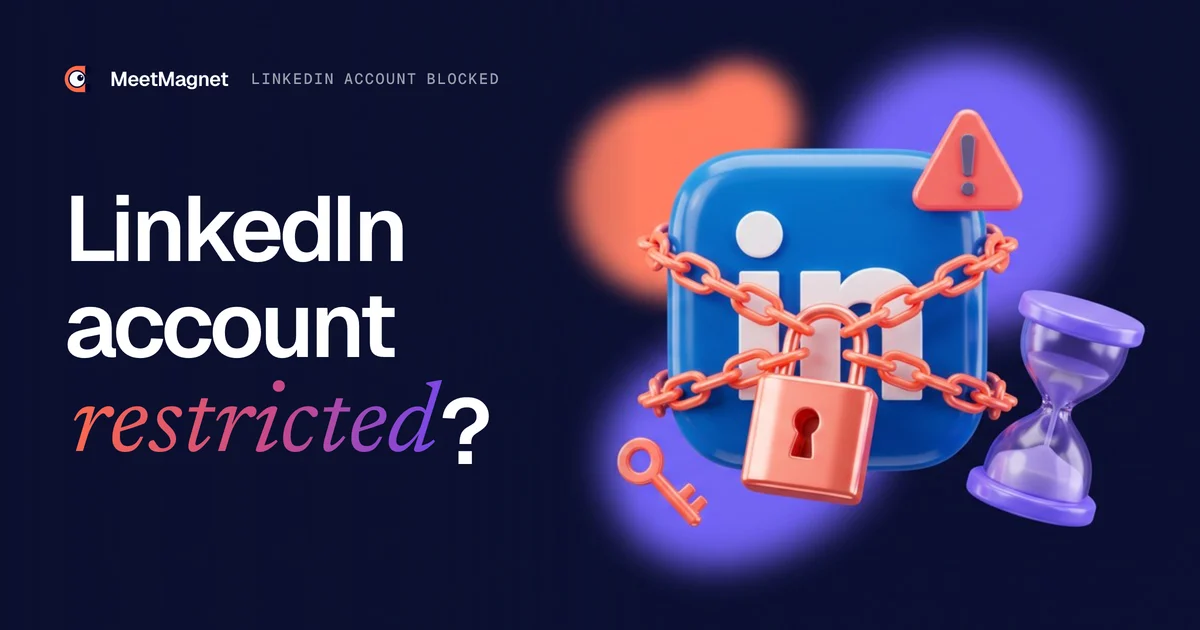
A LinkedIn account restricted or blocked shows up as a message when you log in, a “Connect” button that stops working, or a request for ID. In most cases the restriction is temporary and lifts on its own or after a check. Here is why LinkedIn restricts an account, how long it lasts in each case, how to get it back step by step, and how to prospect afterwards without going through it again.
📌 Key points
- LinkedIn lists four causes of restriction: content, profile, identity and automated tools.
- An invitation restriction lasts from a few hours to a month; LinkedIn says most lift within a week.
- A blocked account is recovered by logging in and following the instructions, often an identity check.
- Watch out for fake warnings: many “your account is restricted” messages are phishing.
- To prospect safely, the lever is not volume: it is the quality of prospects and messages, which raises your reply rate.
Why is your LinkedIn account restricted?
Your LinkedIn account is restricted because LinkedIn detected behaviour that breaks its rules. Its Account restrictions page lists four families: content violations, profile violations, identity violations and the use of automated tools.
In detail:
- Content: a post that breaks the rules; serious violations close the account after a single violation.
- Profile: a name, photo or job entry that does not comply; LinkedIn removes it, then restricts if it happens again.
- Identity: a fake name, a misleading profile, or an account that looks hacked, restricted as a precaution.
- Automated tools: software and extensions that scrape data or automate activity.
For invitations, the page Types of restrictions for sending invitations is more specific. It gives two causes: many invitations sent in a short time, and many invitations ignored, left pending or marked as spam by the people who receive them. 🎯 Remember the second one: it is not only what you send that counts, it is also how people react to it.
Key takeaway: in prospecting, almost every restriction comes from the fourth cause or from invitations. They are also the only ones you really control.
LinkedIn account restricted or blocked: what is the difference?
A restricted account usually keeps access to LinkedIn but loses one feature, most often sending invitations. A blocked account cannot log in at all. You see the difference straight away, and it decides what to do next.
| What you notice | What is happening | Duration given by LinkedIn | What to do |
|---|---|---|---|
| You can no longer invite, everything else works | Invitation restriction | A few hours to a month | Wait, then withdraw pending invitations |
| A message mentions automated activity | Suspension for an automated tool | Until the date in the notice | Disable the tool or extension |
| You can no longer log in | Account restricted (identity, security, profile) | Until verification | Follow the instructions when you log in |
| A post has disappeared | Content violation | Temporary or permanent, depending on severity | Ask for a review when you log in |
⚠️ People also say “blocked” when they have simply reached the weekly invitation limit. That is not a penalty: the account is not restricted, it has just used up its quota. We cover the numbers in our article on the LinkedIn invitation limit.
How long does a LinkedIn restriction last?
An invitation restriction lasts from a few hours to a month. LinkedIn gives three cases: a few hours for a first restriction, a few days for several restrictions in one day, and up to a month when too many invitations are left pending. It adds that most restrictions are lifted automatically within one week.
For the other cases:
- ⏳ Automated activity: according to the page Automated activity on LinkedIn, the account is re-enabled automatically at the time given in the notice, once the tool is disabled.
- 🪪 Identity or security: there is no set duration, the account stays closed until you verify your identity.
- 🔁 Repeat offences: LinkedIn warns that repeated suspensions can lead to a permanent restriction of the account.
LinkedIn does not shorten the wait on request and does not give the exact reason for an invitation restriction. There is no point writing to support to speed things up: use the time to change what triggered it.
How do you get a restricted LinkedIn account back?
To get a restricted LinkedIn account back, go straight to the website or the app, log in and follow the instructions on screen: this is the route LinkedIn gives for asking for a review or verifying your identity. Depending on the case, you will have to wait, disable a tool or send an ID document.
- Check that the warning really comes from LinkedIn. Type the address yourself; do not click any link received in a comment, a message or an email (see the next section).
- Read the message shown when you log in. It tells you the type of restriction and what to do; this is where you can ask for a review of a post or profile.
- If LinkedIn asks for an identity check, it goes through its provider Persona. According to the page Verify your identity to recover account access, you need a valid ID and sometimes a photo of yourself; LinkedIn only receives a redacted copy and generally deletes this data within 14 days.
- If you do not want to use Persona and you are in Canada, the European Union or the United Kingdom, the same page offers an Affidavit of Identity signed in front of a notary, to attach to your request.
- If the restriction is about a tool, disable the software or extension involved, then wait for the re-enable date.
- Once it lifts, clean up before you restart: withdraw old pending invitations, and start again lower than before.

✅ Key takeaway: do not create a second account to get round the restriction. The User Agreement bans false identities and using someone else’s account (section 8.2), and according to Unipile a new account has to start with very few sends.
👉 Prospecting without chasing volume
How we choose who to contact and what we write to them, to get replies from a small number of sends.
Is the “your account is restricted” message a trap?
Sometimes, yes. In January 2026, the French tech site Clubic described a phishing campaign where fake accounts styled like LinkedIn reply in the comments to announce a restriction, then send you to a fake login page that steals your credentials (Clubic, 14 January 2026). It is the most common mistake in a panic: clicking to “appeal”.
Three simple reflexes:
- ❌ LinkedIn does not warn you in a comment under a post, or by a private message from an unknown account.
- 🔒 Check on the website itself: if your account really is restricted, you will see it when you log in.
- 🛡️ Turn on two-step verification, as Clubic recommends: even with your password, the scammer cannot get in.

Another common mistake, and a costlier one: switching tools after a restriction without changing the method. The new tool sends the same messages to the same people, with the same result a few weeks later.
LinkedIn automation: what triggers a restriction?
No LinkedIn automation tool is authorised by LinkedIn. Its page Prohibited software and extensions bans software, bots and extensions that scrape data or automate activity, and warns that their users risk restriction or closure. A tool that calls itself “undetectable” is therefore telling you something untrue.
Detection is automatic first. In its Community Report, LinkedIn says its automated defences stopped 97.8% of the fake accounts it blocked between July and December 2025. That figure is about fake accounts, not prospecting, but it makes the main point: machines read behaviour. What they pick up most:
- ⚡ Bursts: 80 invitations on Monday morning, then nothing.
- 🕒 Robot hours: sends at fixed times, at night, on Sunday.
- 📋 The same message sent to everyone, which drives up spam reports.
- 🙈 Invitations ignored or left pending by strangers who cannot see why you are writing.
- 🔎 Mass searches and profile views from your account, including through an extension or an AI agent plugged into your browser.
The last point is new: some founders connect an AI assistant to their LinkedIn session to “find prospects”, and the agent runs dozens of searches and profile views in a few minutes, exactly what LinkedIn watches for. We cover it in our article on the AI SDR: AI is useful for preparing, not for running your account at full speed.
What limits should you respect to prospect safely?
You need to stay well below the known limits. LinkedIn publishes no figures, but Unipile, the provider that handles the LinkedIn connection for many tools, ours included, publishes per-account recommendations that it calls conservative. It is the most precise reference we know, and we stay well below it.
| What is limited | Published benchmark (source) | What we do |
|---|---|---|
| Invitations, active paid account | 80 to 100 per day, about 200 per week (Unipile) | 70 per week at most by default, 50 if you prefer |
| Invitations, free account | About 150 per week without a note, 5 notes per month (Unipile) | The same cap of 70 per week |
| Invitations, observed by vendors | Around 100 per week (Hublead) | 70, a 30% margin |
| Pending invitations | Too many pending: up to a month of restriction (LinkedIn) | Invitations left unanswered are withdrawn |
| Prospect searches | 1,000 profiles per day, 2,500 with Sales Navigator (Unipile) | None from your account: our bots search |
| Profile views | About 100 per day (Unipile) | Profiles are read by our bots, not by your account |
| Other actions (messages, reactions…) | 100 per day per account by default (Unipile) | About a hundred first contacts per week at most |
| Pace | Random spacing, in working hours (Unipile) | Sends spread between 8 am and 6 pm, Monday to Friday |
Unipile adds two useful pieces of advice: a recent account, or one with fewer than about 150 connections, should start low and ramp up gradually, and only real accounts should be used. 💡 The 100-per-week benchmark comes from Hublead’s 2026 guide, which states that LinkedIn does not publish it.
An often forgotten point: the quota belongs to the account, not the tool. Your manual invitations after a trade show, or another tool on the same account, all add up. Hence the margin in our cap.

Why does quality protect your account better than volume?
Because LinkedIn also measures how people react to what you send. Ignored invitations and reported messages feed detection; accepted invitations and messages that get replies look like what they are, conversations between professionals. The risk is highest when you contact people in bulk with the same template and almost no replies.
So for us, the point is not to send more. It comes down to two things:
- 🎯 The quality of prospects: we only contact people who show a reason to talk now, a new role, a hiring push, a post on your topic. Our B2B buying signals examples show which ones.
- ✍️ The quality of messages: each message is written for the person, from their signal. None is ever sent twice word for word.

Across our accounts, we see an average of 20 to 30% replies, because every person contacted has a reason to answer. Our article on the cold outreach reply rate details these figures and how they are measured.
Example
Signal: the finance director of a 60-person SME posts that he is switching payroll software on 1 January.
Message that gets an account restricted: “Hi, I help companies with their digital transformation. Would you have 15 minutes for a quick chat?” The same text goes to 300 people this week; most ignore it, some report it.
Message that gets a reply: “Hi, I read your post about switching payroll software on 1 January. Migrating the payroll history is often what takes longest: who is handling it on your side?” It goes to him alone, and he replies because the question is about the project on his desk right now.
How does MeetMagnet protect its clients’ accounts?
MeetMagnet uses your LinkedIn account for one thing only: sending your invitations and messages. Prospect searches go through our own bots, not your account, so the riskiest part stays off your profile.
Our settings, in short:
- 70 invitations per week at most, 50 if you want more room to invite people by hand.
- Sends at random times between 8 am and 6 pm, on weekdays, never at weekends.
- Every message different, built on each prospect’s signal.
- Email as a relay when possible, so not everything goes through LinkedIn.
Since launch, we have not seen any account banned because of our sends. That is not a guarantee: LinkedIn’s terms apply to every tool, and we control neither what you do alongside nor tomorrow’s rules. What we can say is that these practices aim to keep the risk as low as possible. The connection goes through Unipile, and your options are on our pricing page: Self-serve at €149 excl. VAT per month, or Managed at €299 excl. VAT per month with a person who calibrates targeting and pace.
A restricted LinkedIn account is rarely the end of the road: it is a sign that the way you send looks too much like a robot. Identify the restriction, recover your account through the official routes, then start again with fewer sends, better spread out, to people who have a reason to reply. That is also what books meetings.
Sources
- “Account restrictions”, LinkedIn Help, accessed 5 November 2026, https://www.linkedin.com/help/linkedin/answer/a1340522
- “Types of restrictions for sending invitations”, LinkedIn Help, accessed 5 November 2026, https://www.linkedin.com/help/linkedin/answer/a551012
- “Automated activity on LinkedIn”, LinkedIn Help, accessed 5 November 2026, https://www.linkedin.com/help/linkedin/answer/a1340567
- “Verify your identity to recover account access”, LinkedIn Help, accessed 5 November 2026, https://www.linkedin.com/help/linkedin/answer/a1342692
- “Prohibited software and extensions”, LinkedIn Help, accessed 5 November 2026, https://www.linkedin.com/help/linkedin/answer/a1341387
- “User Agreement”, LinkedIn, effective 3 November 2025, accessed 5 November 2026, https://www.linkedin.com/legal/user-agreement
- “Community Report”, LinkedIn, July to December 2025, accessed 5 November 2026, https://about.linkedin.com/transparency/community-report
- “Provider Limits and Restrictions”, Unipile documentation, updated 28 August 2026, accessed 5 November 2026, https://developer.unipile.com/docs/provider-limits-and-restrictions
- “LinkedIn vous informe que votre compte est restreint ? C’est probablement du phishing”, Clubic, 14 January 2026, accessed 5 November 2026, https://www.clubic.com/actualite-595192-linkedin-vous-informe-que-votre-compte-est-restreint-c-est-probablement-du-phishing.html
- “LinkedIn Invitation Limit 2026”, Hublead, accessed 5 November 2026, https://www.hublead.io/linkedin-invitation-limit
- MeetMagnet sending practices and reply rates observed on client accounts, meetings from September to November 2026.
Frequently asked questions
Why does LinkedIn restrict an account without giving a reason?
LinkedIn says its support team cannot share the exact reason for an invitation restriction, for privacy reasons. The cause is usually easy to guess: many invitations in a short time, invitations ignored or reported, a tool or browser extension, or an unusual login that looks like a hacked account.
Can you recover a restricted LinkedIn account without Persona?
Yes, in some countries. LinkedIn accepts another method if you are in Canada, the European Union or the United Kingdom: print an Affidavit of Identity, sign it in front of a notary public, then attach the scan to your support case. It takes longer, but you send no ID or photo to Persona.
Can a restricted LinkedIn account be closed for good?
Yes. LinkedIn warns that repeated suspensions for automated activity can lead to a permanent restriction, and that some serious content violations close an account after a single violation. A first invitation restriction, on the other hand, is temporary: treat it as a warning and change the way you send before the next one.
Do LinkedIn Premium or Sales Navigator protect you from a restriction?
No. LinkedIn states that all members, Basic and Premium, are subject to invitation limits and restrictions, and that you cannot buy extra invitations while restricted. A paid plan gives you invitation notes and InMails, not protection: what counts is the way you send.
Should you stop all prospecting after a LinkedIn restriction?
No, but change your method before you start again. Wait for the restriction to lift, withdraw invitations pending for several weeks, then restart lower, on weekdays and in office hours, with messages written for each person. If a tool caused it, set it below the limits or stop it: the same cause will bring the same restriction.
Etienne Douillard
Co-founder and CEO, MeetMagnet
An engineer and entrepreneur for over five years, Etienne works every week with B2B SMEs on signal-based prospecting.
From intent to booking
MeetMagnet spots who has a reason to talk to you right now, writes the opener that stands out, and a real person keeps it on track.