LinkedIn invitation limit 2026: how many, and what if restricted
By Etienne DouillardUpdated 12 min read
Too long, didn’t read?
Ask your favourite AI to summarise this article and pull out the points that matter for your business.

Contents
- What is the LinkedIn invitation limit in 2026?
- How many LinkedIn invitations should you send per day?
- Do Premium or Sales Navigator give you more invitations?
- What lowers your acceptance rate?
- Why is the limit not the real problem?
- How do you withdraw pending LinkedIn invitations?
- What should you do if your LinkedIn account is restricted?
- Are LinkedIn prospecting tools allowed?
- How does MeetMagnet pace sending within the limits?
- Sources
The LinkedIn invitation limit is not published as an exact number: LinkedIn only says that every member, free or Premium, is subject to it, and that an account that hits it can be blocked for about a week. Tool vendors observe a cap of around 100 invitations per week. That figure changes little in practice: with 100 invitations, the real question is who to send them to. Here is what LinkedIn actually says, what lowers your acceptance rate, how to withdraw pending invitations and what to do if your account is restricted.
📌 Key takeaways
- LinkedIn publishes neither a daily nor a weekly limit. The benchmark of around 100 invitations per week comes from tool vendors, not from LinkedIn.
- Premium does not give you more invitations: it unlocks invitation notes, not volume.
- An invitation restriction lasts from a few hours to a month depending on the case, and LinkedIn cannot shorten it.
- With a capped volume, every invitation counts: keep it for people who have a reason to reply now.
What is the LinkedIn invitation limit in 2026?
LinkedIn does not give a number. Its help page “Invitation limit reached” states that limits exist “to prevent abuse”, that they apply to all members, free and Premium accounts included, and that an account that reaches them can lose the right to send invitations, usually for a week. No figure appears anywhere on the page.
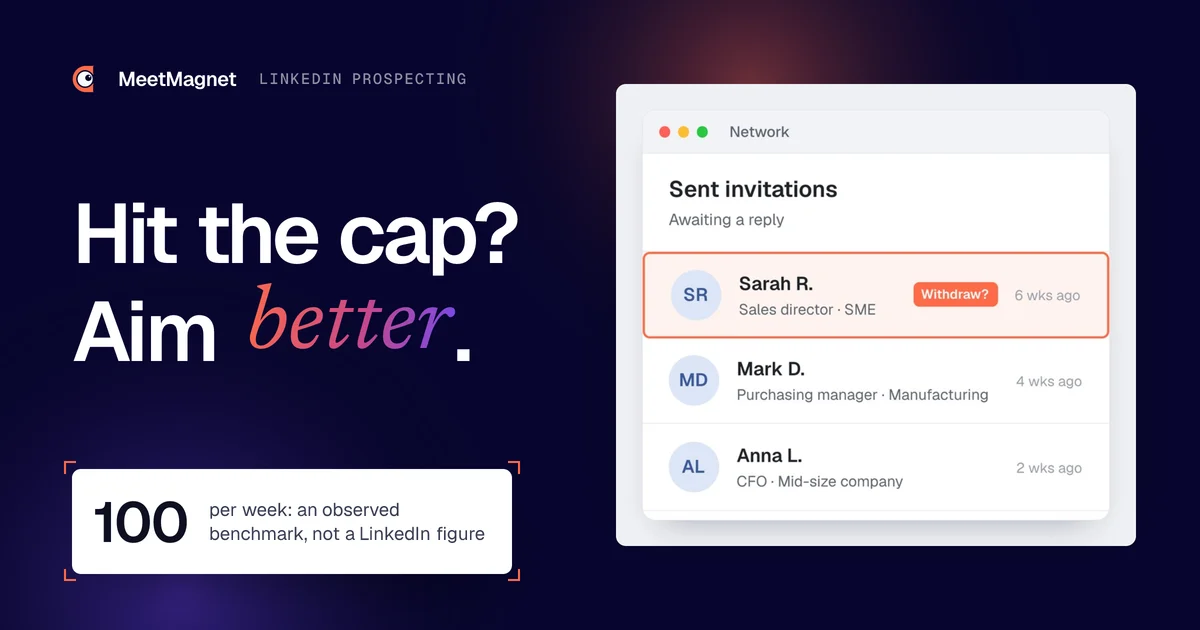
The number going around comes from prospecting tool vendors. Hublead, for example, reports an observed cap of around 100 invitations per week and points out that LinkedIn does not publish it (Hublead, 2026 guide). Other guides claim more, without a source. These are observations, not rules: treat 100 per week as a cautious benchmark, not an entitlement.
| Question | What LinkedIn publishes | What is observed |
|---|---|---|
| Weekly limit | No figure | Around 100 invitations |
| Daily limit | No figure | No reliable rule |
| Does Premium change the volume? | No, the limits apply too | No |
| Length of a restriction | A few hours to a month | Usually one week |
| Maximum connections | 30,000 first-degree connections | 30,000 |
The 30,000-connection cap, on the other hand, is official: it appears on the help centre page “Types of restrictions for sending invitations”.
How many LinkedIn invitations should you send per day?
LinkedIn sets no daily limit, but it penalises bulk sending: the same help page mentions a wait of a few days when an account gets several restrictions in one day. Spreading 100 invitations over five working days gives about twenty a day. That is common-sense arithmetic, not a LinkedIn figure.
What matters most is consistency. Sending 80 invitations on Monday morning and nothing for the rest of the week looks more like a bot than a person prospecting. 🗓️ A pace of 15 to 20 invitations per working day, spread across the day, also leaves you time to reply to those who accept.

This pace forces you to choose. With about twenty invitations a day, you cannot invite every sales director in your region: you have to decide which ones have a reason to talk to you this week.
Do Premium or Sales Navigator give you more invitations?
No. LinkedIn states in black and white that free and Premium members are subject to the same invitation limits, and that you cannot buy extra invitations during a restriction. Premium unlocks something else: invitation notes. No higher cap is published for Sales Navigator.
On notes, LinkedIn’s help pages do not agree with each other. 📝 The page on personalising invitations to connect mentions three personalised notes per month without a subscription, of 200 characters each; the page on the invitation limit says five. Premium members, for their part, can add a note to all their invitations.
We ran the full numbers in our article is LinkedIn Premium worth paying for to prospect?: the subscription makes sense if you have something specific to write in the note, not to send more.
What lowers your acceptance rate?
An invitation gets declined or ignored when the person cannot see why you are writing to them. The largest public study, by Belkins on 11.5 million connection requests sent in 2025, measures an average acceptance rate of 26% (Belkins, 2026 study). So three invitations out of four go nowhere.
The most common causes, according to that study and what we see on our accounts:
- ⚠️ Aiming too high. Belkins notes that C-level executives accept less often than other roles.
- ⚠️ A note that reads like a template. In the same study, invitations with a note are accepted slightly less often (25.3%) than those without (27.6%) according to Belkins, but those with a note get more replies afterwards (8.2% versus 5.3%).
- ⚠️ No visible connection with the person. LinkedIn recommends inviting people “you know and trust”: a stranger with no context has no reason to accept.
- ⚠️ A profile that does not say what you do. Before accepting, many people check your headline. If it says nothing about the problem you solve, the invitation looks like a sales pitch.

The common thread: every refusal is an invitation wasted from your weekly quota. 🎯 Lowering the volume to choose better often increases the number of useful connections.
Why is the limit not the real problem?
The cap only blocks people who prospect by volume. If 100 invitations a week feels like too few, it usually means you are inviting people who have no reason to reply. The real lever is targeting: invite first the people who show a buying signal, a new role, a hiring drive, a post on your topic.
Across our 27 paying client accounts, as of 9 October 2026, 15,910 prospects contacted by message and email produced 4,779 replies, a 30% reply rate (median per account 26%, ranging from 12% to 57%). These prospects were chosen based on a signal. 📊 On average we get 4.9 meetings or call requests per 100 replies, and the first meeting comes after 16 days (median). Method: a meeting is a time slot accepted or proposed by the prospect, or a request to be called; we do not know whether it actually took place.

The lesson for the limit: when nearly one contacted prospect in three replies, around a hundred invitations a week is enough for an SME to feed new conversations every week. Our B2B buying signals examples show which ones to look for depending on your offer.
Example
Signal: Sarah, operations director at an 80-person manufacturing SME, posts that she is looking for a quality manager to prepare for an ISO 9001 audit in the spring.
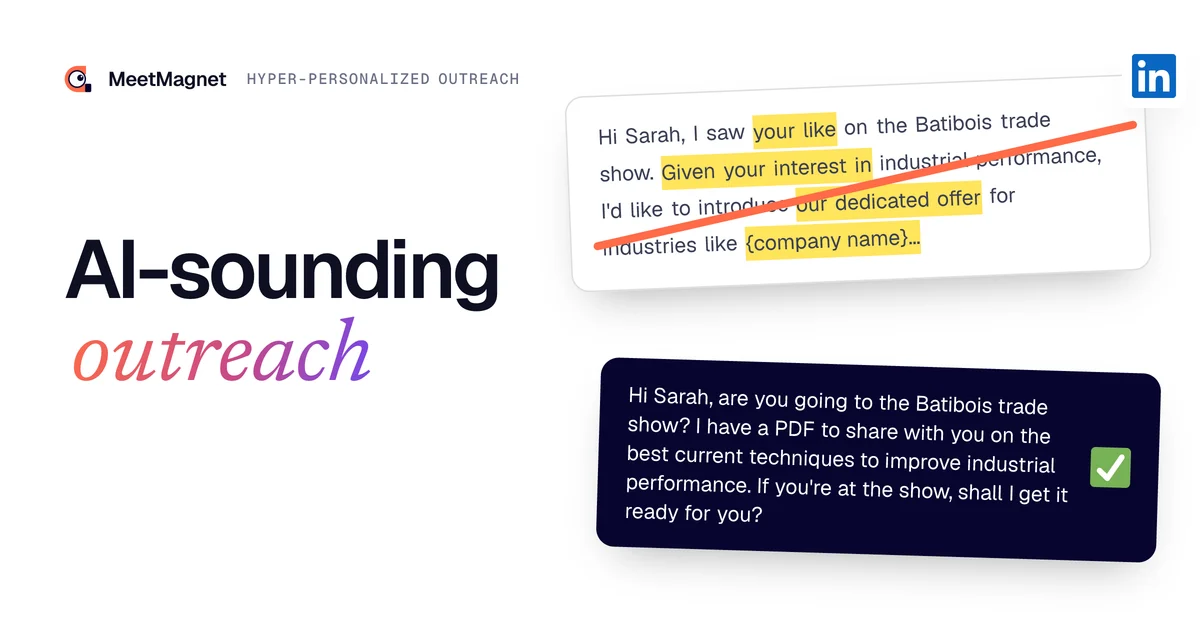
Opener that misses: “Hi Sarah, I help manufacturers improve their performance. Would you be open to a quick 15-minute chat?” Nothing says why her, or why now. She gets ten messages like this every week.
Opener that gets a reply: “Hi Sarah, I saw your opening for a quality manager ahead of the spring ISO audit. Hiring often takes longer than the preparation itself: how are you planning to stay on schedule if the role stays open for two or three months?” She replies, because the question is about her problem this week.
How do you withdraw pending LinkedIn invitations?
Go to “My Network”, then “Invitations”, click “Manage”, open the “Sent” tab and click “Withdraw” next to each invitation, then confirm. The person is not notified. According to the page “Withdraw an invitation”, you cannot withdraw invitations in bulk or restore them.
The steps, on desktop:
- Click the “My Network” icon at the top of your homepage.
- In the “Invitations” section, click “Show all”, or “Manage” if you have no pending received invitations.
- Open the “Sent” tab.
- Click “Withdraw” next to the invitation, then confirm in the window that opens.
Why bother? 🧹 Because too many pending invitations is a restriction trigger in its own right: LinkedIn lists it among the cases that impose a wait of up to a month. Regularly clearing invitations that have gone unanswered for several weeks keeps your account clean.
Two precautions. Once withdrawn, you may not be able to re-invite the same person for up to three weeks. And withdrawing invitations does not lift a restriction already in place: the clean-up happens before, not after.
👉 Fewer invitations, more replies
What to write in the first message, once the invitation is accepted, to get a reply.
What should you do if your LinkedIn account is restricted?
Start by identifying the restriction. If you can no longer send invitations but otherwise use LinkedIn normally, it is an invitation restriction: you have to wait, from a few hours to a month. If you can no longer log in, your whole account is restricted: you usually need to verify your identity or turn off a prohibited tool.
LinkedIn distinguishes three cases for invitations, according to its page on types of restrictions:
| Situation | Wait stated by LinkedIn |
|---|---|
| First restriction | A few hours |
| Several restrictions on the same day | A few days |
| Too many pending invitations | Up to a month |
Most are lifted automatically in less than a week. The steps, in order:
- Stop all sending. During a restriction you cannot send invitations anyway, and you cannot buy any.
- Expect nothing from support. LinkedIn states that it can neither shorten the wait nor tell you the exact reason for the restriction.
- If your account is restricted for automated activity, turn off the tool or extension involved. According to the page “Automated activity on LinkedIn”, the account is reactivated on the date given in the notification.
- If you can no longer log in, follow the identity verification process. LinkedIn uses the provider Persona and asks for an ID document, sometimes a photo of you; this data is usually deleted within 14 days (“Verify your identity to recover account access”).
- When you resume, clean up and slow down. Withdraw old pending invitations, then restart at a lower pace, keeping your invitations for people who show a signal.
🔁 A repeated restriction is a clear message: the problem is not the account, it is the way you send. Switching tools without changing your target takes you back to the same place.

Are LinkedIn prospecting tools allowed?
No, no third-party tool is allowed under LinkedIn’s terms. Its page “Prohibited software and extensions” bans software, bots and extensions that scrape data, modify the site or automate activity, and warns that accounts using them risk restriction or closure.
LinkedIn’s User Agreement (section 8.2, in force since 3 November 2025) also prohibits using bots or other unauthorised automated methods to add contacts or send messages. Every sending tool on the market is affected, whatever it promises.
⚖️ A tool that calls itself “undetectable” or “risk-free” is telling you something untrue. The risk can be reduced, it does not disappear. What reduces it most: fewer sends, better spread out, to people who accept, and an account that is also active outside prospecting (posts, comments, replies).

How does MeetMagnet pace sending within the limits?
MeetMagnet starts from the target, not the volume. It spots people on LinkedIn who show a buying signal, writes an opener based on that signal, then sends from your account, spreading invitations across the week, below the observed benchmarks. This pace reduces the risk of restriction without eliminating it: LinkedIn’s terms apply to every tool.
In practice, three choices limit the number of invitations you need:
- 🎯 Every invitation goes to a person who has a reason to reply, with their signal visible: new role, hiring, a post on your topic.
- ✉️ Email takes over when possible, so that not everything goes through LinkedIn invitations.
- 🤝 A person calibrates and follows the account on the Managed plan: they adjust the target and the pace if the acceptance rate drops.
When a target produces few signals, we add targeted volume, always at the same pace. Details of the buying signals tracked on LinkedIn and our pricing are on the website. If your invitations are accepted but nobody replies afterwards, the problem lies elsewhere: we covered it in why your prospects don’t reply.
The LinkedIn invitation limit does not stop you from booking meetings; it stops you from looking for them at random. Around a hundred invitations a week, sent to people chosen based on a signal and followed by a first message about their situation, is enough for an SME to get regular conversations. Keep a steady pace, clear out pending invitations, and treat every restriction as a sign that your targeting needs to tighten.
Sources
- “Invitation limit reached”, LinkedIn Help, accessed 27 October 2026, https://www.linkedin.com/help/linkedin/answer/a550555
- “Types of restrictions for sending invitations”, LinkedIn Help, accessed 27 October 2026, https://www.linkedin.com/help/linkedin/answer/a551012
- “Personnaliser les invitations à se connecter”, LinkedIn Help, accessed 27 October 2026, https://www.linkedin.com/help/linkedin/answer/a563153
- “Withdraw an invitation”, LinkedIn Help, accessed 27 October 2026, https://www.linkedin.com/help/linkedin/answer/62008
- “Automated activity on LinkedIn”, LinkedIn Help, accessed 27 October 2026, https://www.linkedin.com/help/linkedin/answer/90586
- “Prohibited software and extensions”, LinkedIn Help, accessed 27 October 2026, https://www.linkedin.com/help/linkedin/answer/a1341387
- “Verify your identity to recover account access”, LinkedIn Help, accessed 27 October 2026, https://www.linkedin.com/help/linkedin/answer/a1342692
- “User Agreement”, LinkedIn, in force since 3 November 2025, accessed 27 October 2026, https://www.linkedin.com/legal/user-agreement
- “LinkedIn B2B outreach statistics: Belkins’ 2026 study”, Belkins, updated 29 June 2026, accessed 27 October 2026, https://belkins.io/blog/linkedin-outreach-study
- “LinkedIn Invitation Limit 2026”, Hublead, accessed 27 October 2026, https://www.hublead.io/linkedin-invitation-limit
Frequently asked questions
Do accepted invitations count towards the weekly limit?
LinkedIn does not specify how it counts. What it does say is that the limit applies to invitations sent, and that too many pending invitations can also trigger a restriction of up to a month. The safest approach is to assume every invitation sent counts, accepted or not, and to withdraw those that stay unanswered.
Can you get around the limit by writing directly via InMail?
InMail lets you write to someone you are not connected with, and it does not use up an invitation. It requires a paid subscription and a set number of credits per month depending on the plan. It is useful for a few decision-makers who never accept invitations, not as a large-scale replacement: the message has to be even more precise.
Does a new LinkedIn account have a lower limit?
LinkedIn publishes no rule based on account age. Several tool vendors say they observe tighter limits on new or inactive accounts, without verifiable data. When in doubt, start slowly with a new account, complete your profile and build normal activity before sending invitations to people you do not know.
What happens if someone answers “I don't know this person”?
LinkedIn does not publicly detail how this report affects your account. It only recommends inviting people you know and trust. In practice, an invitation that explains why you are writing, sent to someone who has a link with your topic, keeps this kind of response to a minimum.
Do you need one LinkedIn account per salesperson to send more?
Each account has its own limit, so several salespeople can each send invitations from their own account. Creating fake or duplicate accounts to multiply invitations, however, is prohibited by LinkedIn's terms and leads to closure. For an SME, targeting a single account better often pays off more than multiplying profiles.
Etienne Douillard
Co-founder and CEO, MeetMagnet
An engineer and entrepreneur for over five years, Etienne works every week with B2B SMEs on signal-based prospecting.
From intent to booking
MeetMagnet spots who has a reason to talk to you right now, writes the opener that stands out, and a real person keeps it on track.