Claude skills: what they are, how to install them and the best skills by role
By Etienne DouillardUpdated 12 min read
Too long, didn’t read?
Ask your favourite AI to summarise this article and pull out the points that matter for your business.

Contents
Rewriting the same instructions every week wastes time. Claude skills store them in a folder that Claude reads again whenever the task comes back. This guide covers the definition, the reliable sources, how to install them in Claude, Cowork or Claude Code and the best skills by role, all checked on 9 November 2026 against Anthropic’s documentation and GitHub repositories.
📌 Key points
- A Claude skill is a folder with a
SKILL.mdfile: Claude only reads the full instructions when your request matches. - Claude’s built-in directory and Anthropic’s repositories are the safest sources. For a specific job, specialized packs add marketing, prospecting or SEO.
- Claude and Cowork read the skills enabled on your account; Claude Code also reads its local folders.
- Since 29 October 2026, Anthropic has been replacing the Customize menu with Plugins: older tutorials show the previous interface.
What are Claude skills?
Claude skills are folders of instructions, scripts and resources that Claude loads when needed to do a specific task better. You write your method once, for example your brand rules or the way you qualify a prospect, and Claude applies it every time the request comes up.
Anthropic’s help center lists 4 families: Anthropic’s own skills (Word, Excel, PowerPoint, PDF), the ones you create, the ones an organization provides to its teams (Team and Enterprise plans) and those from partners such as Notion, Figma or Atlassian.
Claude reads them in 3 stages, a principle Anthropic calls progressive disclosure (Agent Skills documentation):
- At startup, it loads only the name and description of each skill, about 100 tokens per skill.
- When your request matches, it reads the body of the
SKILL.mdfile, usually under 5,000 tokens. - If the task requires it, it opens the supporting files or runs the scripts.

💡 So you can keep many skills installed without cluttering the conversation. Unlike a project, which is always loaded, or custom instructions, which apply everywhere, a skill only activates for its own task.
Takeaway: a skill is a method written once, which Claude loads only when it is useful.
Where do you find Claude skills?
You will find Claude skills in the directory built into Claude, in Anthropic’s GitHub repositories, in directories such as skills.sh and from publishers of role-specific packs. Start with the official sources, then add a specialized pack when a specific task justifies it.
The easiest route is the built-in directory: Customize > Skills, the “+” button, then “Browse skills”. Outside Claude, here are 5 sources compared on 9 November 2026.
| Source | Contents | License | For whom | Install |
|---|---|---|---|---|
| anthropics/skills | 19 Anthropic skills: documents, skill creation, design, testing | Apache 2.0 for most | Any Claude user | Available in Claude, or /plugin in Claude Code |
| knowledge-work-plugins | Anthropic plugins by role: sales, marketing, finance, legal, with skills and connectors | Apache 2.0 | Teams on paid plans, mainly in Cowork | Plugins tab in Claude |
| marketingskills by Corey Haines | 53 skills: CRO, copywriting, SEO, analytics | MIT | Technical marketers and founders | npx skills add |
| Pack of 40 marketing skills by MeetMagnet | 40 skills in English, from the marketing plan to the meeting | MIT | B2B SMEs | Zip sent through a form |
| Pack of 6 prospecting skills by MeetMagnet | 6 skills in French, from buying signal to meeting | MIT | Owners and salespeople at B2B SMEs | One zip per skill, through a form |
skills.sh also works as a directory for Vercel Labs’ npx skills tool. 🔎
⚠️ Read a skill before you install it. It can contain scripts or push Claude to reach external sites, and Anthropic recommends installing only from trusted sources. In February 2026, Snyk analyzed 3,984 skills from ClawHub and skills.sh: 13.4% had at least one critical flaw.

Takeaway: start with Claude’s directory and Anthropic’s repositories, then add only what you have read.
How do you install a Claude skill?
To install a skill in Claude, turn on code execution, then upload a zip file through the Customize menu, now called Plugins on most accounts. In Claude Code, copy the skill folder to ~/.claude/skills/. Cowork automatically uses the skills enabled on your account, with nothing to reinstall.
In Claude.ai (web)
- Open Settings > Capabilities and turn on Code execution and file creation (called Create and edit files in the updated settings).
- Zip the skill folder. The folder must sit at the root of the zip and carry the skill’s name.
- Open Customize > Skills.
- Click “+”, “Create skill”, then “Upload a skill”, and pick the zip.
- Check that the skill is turned on, then test it on a real request. ✅
📣 Anthropic is renaming this menu: Customize becomes Plugins from 29 October 2026 on the Free, Pro, Max, Ultra and Team plans, and from 30 November on Enterprise. One page brings together plugins, skills and connectors, with a filter by type.
In Claude Desktop and Cowork
Nothing to reinstall: Claude Desktop and Cowork, limited to paid plans, use the skills enabled on your account. Cowork loads them at the start of each session. Type / or click “+” to run one yourself.
To add a plugin, open the Plugins tab of this menu, then Discover, and click “Add”. It then follows you into chat, Cowork and Claude Code.
In Claude Code
Claude Code skills are plain folders. Copy the skill folder to ~/.claude/skills/ for all your projects, or to .claude/skills/ for a single project, then type /skills to check that it is listed. For Anthropic’s skills, add the official repository as a marketplace:
/plugin marketplace add anthropics/skills
/plugin install document-skills@anthropic-agent-skills
For a community repository, the npx skills tool (Node.js 22.20 or later) does the copying for you:
npx skills add coreyhaines31/marketingskills -a claude-code⚠️ Mind the direction of the sync: a skill enabled on your account reaches Claude Code if you sign in with that account (version 2.1.273 or later), but a skill copied only to ~/.claude/skills/ stays invisible to Cowork.

Takeaway: a zip for Claude and Cowork, a folder for Claude Code, and your Claude account as the common link.
Give your skills real prospects
MeetMagnet, the buying signal prospecting AI, brings Claude the people who have a reason to buy now, along with the message to send them.
What is an agent skill?
An agent skill is a skill in the open Agent Skills format: a folder with a SKILL.md file that an AI agent discovers and loads on demand. “Claude skills” and “agent skills” therefore describe the same format: the first name points to Claude, the second to every compatible tool.
Anthropic introduced the format in October 2025, then published it as an open standard on 18 December 2025. The agentskills.io site showcases dozens of tools that read this same format. 🧩
An agent and a skill do different jobs. The agent is the AI that acts: it reads, decides and uses tools. The skill is the guide it consults, which Anthropic compares to an onboarding guide for a new hire.
⚠️ Watch out for searches such as “AI skills”: they mix these files with the AI abilities people add to a resume. In this guide, a skill is always a file.
Takeaway: agent skill and Claude skill are the same folder; only the scope of the name changes.
What is SKILL.md?
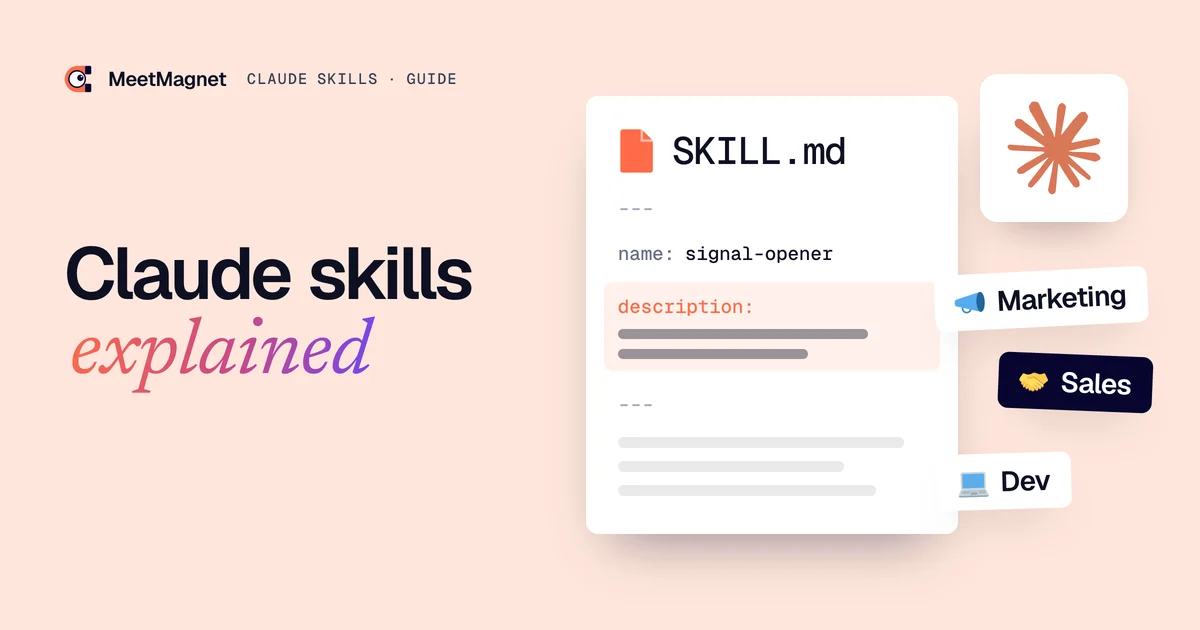
SKILL.md is the only required file in a skill. It starts with a YAML header that gives at least a name and a description, followed by instructions in Markdown. Claude reads the header first to see whether the skill could help, and the rest of the file only if your request matches.
Example of a minimal SKILL.md:
---
name: signal-opener
description: Writes a first prospecting message from a buying signal. Use when asked for an opener or a LinkedIn message for a prospect.
---

Steps:
1. Find what just happened to the person.
2. Say in one sentence what that means for them.
3. End with one easy question.

Rules: 3 to 6 lines, never mention a like, never ask for a meeting.
The rules come from the official specification:
- 📄
name: 64 characters at most, in lowercase letters, numbers and hyphens, identical to the folder name. Anthropic also bans the wordsclaudeandanthropic. - 🎯
description: 1,024 characters at most (the help center still says 200, so keep it short). It says what the skill does and when to use it; this is what Claude compares with your request. - 🗂️ Supporting folders:
scripts/for code,references/for documentation,assets/for templates. All are optional.
To see a real file, read our opener skill in full. It is written in French, since the specification sets no format for the body.
Takeaway: a precise description counts as much as the instructions, because without it Claude does not trigger the skill.
What are the best Claude skills?
There is no official ranking: the best Claude skills are the ones that solve a task you repeat every week. Start with Anthropic’s document skills, then add 2 or 3 skills for your role, from an identified source, with a clear license and recent updates.

| Role | Skills to try | Publisher |
|---|---|---|
| All roles | docx, xlsx, pptx, pdf |
Anthropic |
| Create or improve a skill | skill-creator |
Anthropic |
| Marketing | Pack of 40 skills, marketingskills, Marketing plugin | MeetMagnet, Corey Haines, Anthropic |
| SEO | claude-seo | AgriciDaniel |
| Prospecting and sales | Pack of 6 skills, Sales plugin | MeetMagnet, Anthropic |
| Software development | superpowers, frontend-design |
obra, Anthropic |
As a reference point, on 9 November 2026 GitHub showed 314,716 stars for superpowers, 189,941 for anthropics/skills, 59,280 for marketingskills and 27,521 for claude-seo. Popularity does not tell you whether a skill fits your job. We use marketingskills and claude-seo ourselves to prepare this blog. 🛠️
Marketing
Anthropic’s Marketing plugin and marketingskills cover content, CRO and SEO. For a B2B SME, our free Claude marketing skills follow a different thread: from buying signal to meeting.
Prospecting and sales
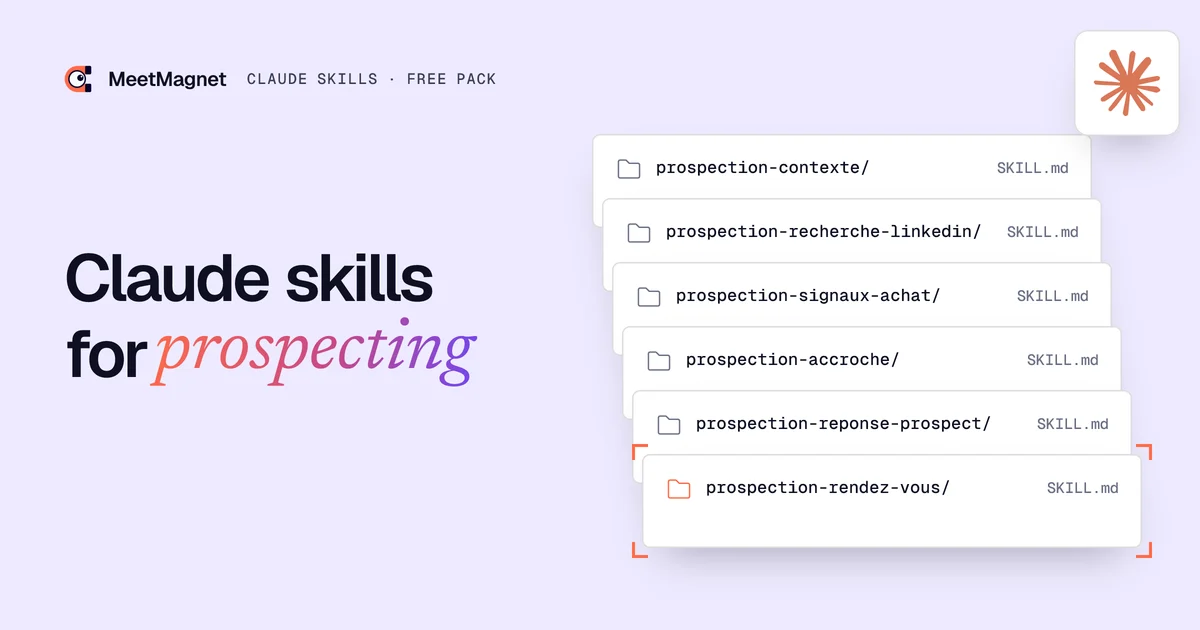
Our Claude skills for prospecting, written in French, chain together context, signals, LinkedIn search, the opener, the reply and the meeting. Here is what that changes in a first message. 🎯
Example
Signal: the operations director at a packaging manufacturer announces he is replacing the ERP before summer.
Opener that falls flat: “Hi Julian, I saw your post. We support manufacturers through their digital transformation. Would you have 15 minutes?”
Opener that gets a reply: “Hi Julian, when an ERP changes before summer, it is usually the data migration that makes the schedule slip. Have you handed that to anyone yet?”
AI agents
Our AI outbound team brings together 7 agents, each written as a skill and connected to MeetMagnet through MCP connectors, from buying signal to meeting.
Cowork
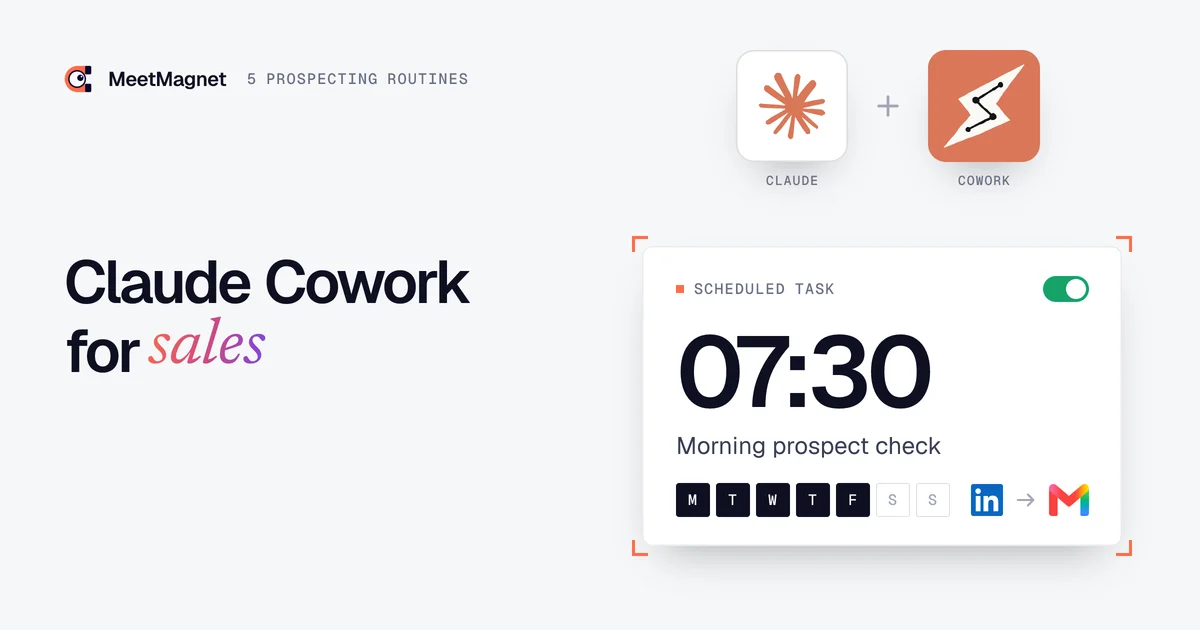
Cowork’s scheduled tasks run your skills at set times. Our Cowork routines for sales give 5 examples: the morning check, first messages, replies, follow-ups and the Friday review. 📅
Customer support, HR, finance, legal
Anthropic’s plugins are the simplest starting point: each one brings together the skills and connectors for that function.
Takeaway: pick the task first, then the skill. Better 3 skills used every week than 40 installed for nothing.
When is a skill not enough?
A skill is not enough when the task depends on data it does not have. It brings a method, but without a connector it cannot know who just changed jobs, and it monitors nothing. In prospecting, it needs a source of buying signals and an MCP connector linked to your prospects.

Even with the right data, the meeting is won after the first message. Out of 15,910 prospects contacted by 27 MeetMagnet client accounts, 30% replied, but only 4.9 replies out of 100 became a meeting or a call request (how we counted). 📊
MeetMagnet, the buying signal prospecting AI, spots these signals every day on LinkedIn, suggests an opener that you review, then sends it on LinkedIn and by email. The Self-serve plan costs €149 per month excl. VAT; the Managed plan, at €299 per month excl. VAT, adds someone from our team who calibrates the target, signals and openers with you (pricing). 🤝
A Claude skill saves you from re-explaining your job in every conversation. Install an official skill, write your own for the task that comes back every week, review what it produces and keep what saves you time. 🚀
Sources
Pages accessed on 9 November 2026, unless a date is given.
- “What are skills?”, Claude Help Center, https://support.claude.com/en/articles/12512176-what-are-skills
- “Use skills in Claude”, Claude Help Center, https://support.claude.com/en/articles/12512180-use-skills-in-claude
- “How to create custom skills”, Claude Help Center, https://support.claude.com/en/articles/12512198-how-to-create-custom-skills
- “Browse skills, connectors, and plugins in one directory”, Claude Help Center, https://support.claude.com/en/articles/14328846-browse-skills-connectors-and-plugins-in-one-directory
- “Use plugins in Claude”, Claude Help Center, https://support.claude.com/en/articles/13837440-use-plugins-in-claude
- “Manage plugins, skills, and connectors from one Plugins page”, Claude Help Center, https://support.claude.com/en/articles/17740565-manage-plugins-skills-and-connectors-from-one-plugins-page
- “Get started with Claude Cowork”, Claude Help Center, https://support.claude.com/en/articles/13345190-get-started-with-claude-cowork
- “Extend Claude with skills”, Claude Code documentation, https://code.claude.com/docs/en/skills
- “Agent Skills”, Claude Platform documentation, https://platform.claude.com/docs/en/agents-and-tools/agent-skills/overview
- “Equipping agents with Agent Skills”, Anthropic, 16 October 2025, updated 18 December 2025, https://www.anthropic.com/research/equipping-agents-for-the-real-world-with-agent-skills
- “Agent Skills Overview” and “Specification”, Agent Skills, https://agentskills.io/home and https://agentskills.io/specification
- GitHub repositories anthropics/skills, anthropics/knowledge-work-plugins, coreyhaines31/marketingskills, vercel-labs/skills, obra/superpowers and AgriciDaniel/claude-seo: READMEs, licenses, skill counts and stars
- “Snyk Finds Prompt Injection in 36%, 1467 Malicious Payloads in a ToxicSkills Study of Agent Skills Supply Chain Compromise”, Snyk, 5 February 2026, https://snyk.io/blog/toxicskills-malicious-ai-agent-skills-clawhub/
- MeetMagnet, snapshot of the conversations of 27 paying client accounts (LinkedIn and email), internal data as of 9 October 2026, https://www.meet-magnet.com/en/blog/cold-outreach-reply-rate/
Frequently asked questions
Are Claude skills free?
Yes. According to Anthropic's help center, skills are available on the Free, Pro, Max, Ultra, Team and Enterprise plans, as long as code execution is turned on. Plugins and Cowork, however, are limited to paid plans. The packs listed in this guide are free, under an MIT or Apache 2.0 license.
Is a Claude skill just a prompt?
No. A prompt lasts for one conversation and has to be rewritten each time. A skill stays installed, loads by itself when your request matches its description, and can carry reference files or scripts. As Anthropic puts it, you no longer have to repeat the same guidance across conversations.
What is the difference between a skill, a plugin and an MCP connector?
A skill brings a method. An MCP connector links Claude to an outside tool, such as a CRM, and gives it access to that tool's data. A plugin bundles skills, connectors and sub-agents for a given role into a single package: it is the most complete option, and it is limited to paid plans.
Do Claude skills work with ChatGPT or other AI tools?
Yes, with any tool that adopts the open Agent Skills standard. The agentskills.io site lists ChatGPT and Codex, Cursor, GitHub Copilot, Gemini CLI, VS Code and Mistral AI Vibe, among others. The same SKILL.md folder works everywhere: only the place you copy it to changes, and some fields are specific to Claude Code.
How do you create your own Claude skill?
Write a SKILL.md file with a name, a description and your instructions, or ask Claude to draft it with the official skill-creator skill. On Mac, Cowork can also build a skill from a recording of your screen (Pro, Max, Ultra and Team plans). Then test it on several real requests.
Etienne Douillard
Co-founder and CEO, MeetMagnet
An engineer and entrepreneur for over five years, Etienne works every week with B2B SMEs on signal-based prospecting.
From intent to booking
MeetMagnet spots who has a reason to talk to you right now, writes the opener that stands out, and a real person keeps it on track.