Claude Cowork for sales: 5 prospecting routines (a morning signal check, replies, follow-ups)
By Etienne DouillardUpdated 13 min read
Too long, didn’t read?
Ask your favourite AI to summarise this article and pull out the points that matter for your business.

Contents
- Claude Cowork for sales: what does it change?
- What do you need to connect before running your routines?
- How do you create a scheduled task in Cowork?
- Which prospecting routines should you give Claude Cowork?
- What does a salesperson’s day look like with Cowork?
- What mistakes should you avoid with scheduled tasks?
- How much does prospecting with Claude Cowork cost?
- Sources
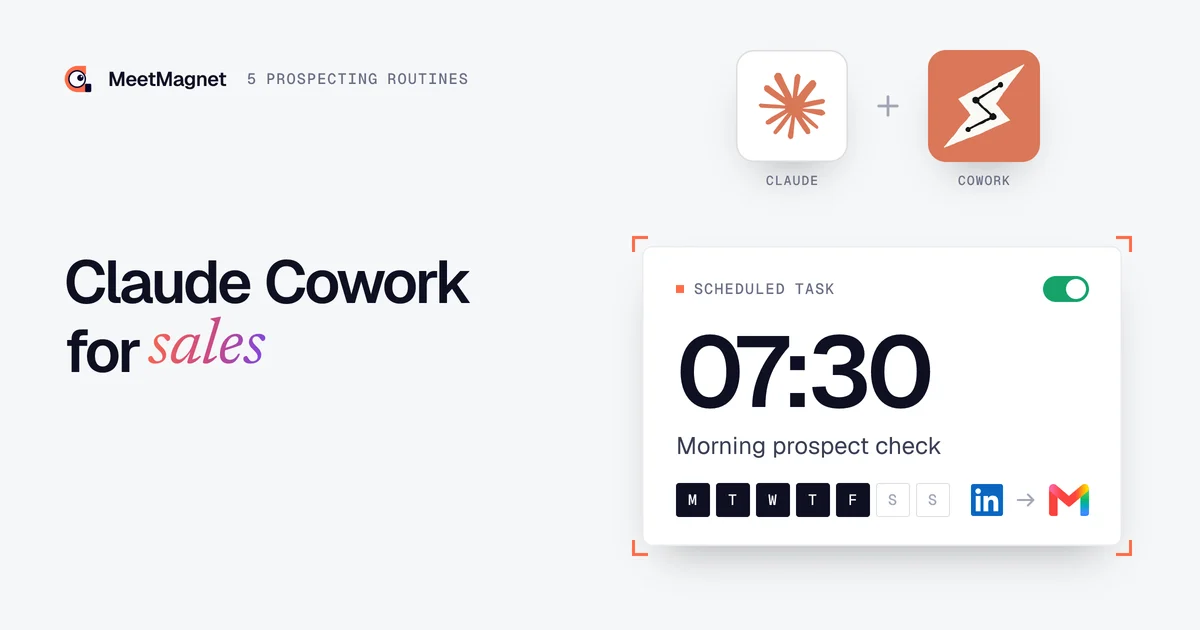
Claude Cowork for sales means handing Claude prospecting routines that run on their own, at set times: the morning check of prospects showing a signal, the first drafts of messages, the sorting of replies, the list of follow-ups, the weekly review. You get to your desk and the groundwork is done; all that is left is to review, choose and send. Here are the five routines we use, with a prompt ready to copy, the connectors you need and the safeguards for each one.
📌 Key points
- Cowork is the Claude mode that carries out whole tasks, and its scheduled tasks rerun them on their own every day or every week, in the cloud.
- Without a connector, Claude has no prospects: it needs a business signals tool, your CRM and your calendar.
- Five routines cover a salesperson’s week: morning check, first messages, replies, follow-ups, Friday review.
- The rule that never moves: the routine prepares, you approve. Anthropic itself advises against scheduling messages sent on your behalf.
Claude Cowork for sales: what does it change?
Claude Cowork turns Claude into an assistant that does the work instead of explaining it. According to Anthropic’s help centre, Cowork uses the architecture of Claude Code, without the terminal: you describe an outcome, Claude makes a plan, breaks the work down, uses your connectors and delivers a document, a spreadsheet or a list.
For a salesperson, three capabilities matter:
- Connectors: Claude reads and acts in your tools (prospecting tool, CRM, calendar, inbox) with your permissions.
- Scheduled tasks: a prompt written once, rerun every hour, every day, on weekdays or every week.
- The cloud: sessions run on Anthropic’s servers and keep going when you close your laptop. The desktop app is only needed for your local files and the browser.
The need is real. According to Salesforce’s 2026 report, sellers spend on average only 40% of their time selling, devote nearly one day a week to prospecting, and 48% say they lack the bandwidth to do it properly. ⏱️
| Claude in chat | Claude Cowork | |
|---|---|---|
| What you get | An answer, a draft | Finished work: list, spreadsheet, drafts, report |
| When it runs | When you ask | When you start it, or at a set time |
| Laptop closed | Nothing happens | The task keeps running in the cloud |
| Plans | All of them, free included | Paid plans (Pro, Max, Ultra, Team, Enterprise) |

Bottom line: Cowork does not invent your prospects and does not know your market. Every day, it carries out a method you have written for it.
What do you need to connect before running your routines?
Before the first routine, give Claude something to work with: a source of fresh prospects, your CRM, your calendar and your writing rules. Without them, Cowork runs on empty.
- 🔌 A business signals connector. Claude cannot see who is hiring or who has just posted about a topic linked to your offer. The MeetMagnet MCP connector (
https://app.meet-magnet.com/mcp) gives it prospects with their signal, message drafts and replies. Setup is covered in our tutorial on prospecting with Claude: five minutes, no key to copy. According to Anthropic’s help centre, custom connectors also work in Cowork. - 🗂️ Your CRM and your calendar, if they have a connector: to know who to follow up with and to offer real time slots.
- ✍️ Your standing instructions. Cowork accepts global instructions (Settings, then Cowork): your offer, your target, your tone. To go further, our Claude skills pack for prospecting stores these rules in files that Claude rereads for every task.
Cowork plugins bundle exactly that: skills, connectors and sub-agents in one package, saved to your account and usable in chat too. 🧩
How do you create a scheduled task in Cowork?
You create a scheduled task from the Scheduled page in the sidebar, or by typing /schedule in any Cowork task. According to Anthropic’s help centre on scheduled tasks, there are two ways.
- “Create with Claude”: you describe the task in plain English, Claude asks its questions, then proposes a name, a schedule and a prompt. You confirm with “Schedule”.
- “Set up manually”: you fill in the creation window yourself, field by field.

You choose the frequency from: hourly, daily, weekly, on weekdays or on demand. Each run opens its own session, which you review like any other task. From the Scheduled page, you can edit the prompt, pause, resume, delete or run the task right away. A task that needs files on your computer only runs locally.
Bottom line: for prospecting, choose the manual approval mode for any task that writes somewhere. Auto mode lets Claude decide on its own about actions that change your tools.
Which prospecting routines should you give Claude Cowork?
Five routines cover most of the week: three daily, two weekly. Each one has a trigger, a prompt, connectors, an expected result and a safeguard.

Routine 1: the morning business signals check
Trigger: weekdays, 7:30 am. Connectors: MeetMagnet.
Example
“Every weekday morning, open MeetMagnet and list the new prospects waiting for approval. For each one: name, job title, company, the signal in one sentence, and why now is the right time. Rank them from most to least urgent. Leave out current customers, competitors and consultants, and say why. Do not approve or send anything: I review at 8:30.”
What you get: a prioritised summary, ready with your coffee, instead of a LinkedIn feed to scroll through. A business signal is a public fact that gives you a reason to get in touch now: a new hire, a new role, a question asked in public. Our article on what a business signal is gives the definition and examples. 🎯
Safeguard: the routine reads and sorts, it does not approve any sequence. The exclusions it suggests only become account rules once you confirm them.
Routine 2: preparing and reviewing the first messages
Trigger: weekdays, 8 am, after the morning check. Connectors: MeetMagnet.
Example
“For the prospects I kept this morning, review the first message that has been prepared. Rewrite it if it sounds robotic: one useful piece of information, said the way you would say it out loud, a simple question at the end, no meeting request. Never mention a like. Show me the before and after, I approve them one by one.”
What you get: reviewed drafts, shown side by side. The trap is the inventory: a message that piles up the post, the career history and the company’s age looks AI-written at first glance. We explain the right balance in our article on hyper-personalised outreach that sounds like AI. ✍️
Example
Signal: the operations director of a logistics SME posts on LinkedIn that a second warehouse opens in the spring.
Opener that misses: “Hi Claire, I saw your post about the new warehouse, your background at a haulier and your company’s impressive growth. Congratulations!”
Opener that gets a reply: “Hi Claire, opening a second site is often when the stock in the two warehouses stops talking to each other. Have you already decided how you will track it?”
The first one recites what it saw. The second talks about her problem and asks an easy question. 💡
Safeguard: never mention a like (“I noticed you liked…” makes people uneasy), and no sending by the routine. You approve each message in the session.
Connect Claude to your business signals
The tutorial shows how to connect Claude to MeetMagnet: a business signal becomes a message, then a meeting.
Routine 3: handling replies
Trigger: weekdays, 1:30 pm (add 5 pm if you have volume). Connectors: MeetMagnet, your calendar.
Example
“List the replies received since this morning, from warmest to coldest. For each one: what the person is really saying, then a suggested reply. To a yes, offer two specific slots from my calendar, never a calendar link. To someone hesitating, a question. To a no, a short thank you and stop the follow-ups. Do not send anything.”
What you get: a sorted inbox, with a draft for every reply. MeetMagnet already classifies each reply and gives it a score from 0 to 100; the routine uses it to show you the ones that matter first. 📬

Safeguard: two slots offered in the conversation, never a calendar link sent upfront, which turns the exchange into a formality. Tricky cases (price, competitor, annoyed prospect) come back to you with no automatic draft.
Routine 4: follow-ups and the CRM
Trigger: Mondays, 8 am. Connectors: MeetMagnet, your CRM.
Example
“Every Monday, cross-check MeetMagnet and the CRM. List the prospects to follow up with this week: those who replied and went quiet more than seven days ago, those who asked to be contacted again, meetings with no notes. For each one, a reason to follow up that brings something new. Only update the status in the CRM after I agree.”
What you get: the week’s list, with an angle for each follow-up instead of a “just circling back”. Our article on the small business CRM connected to Claude shows how the CRM answers “who should I follow up with?”. 🔁
Safeguard: a manual follow-up can cancel the automatic follow-ups already scheduled for that prospect; ask Claude to flag it before writing.
Routine 5: the Friday review
Trigger: Fridays, 4 pm. Connectors: MeetMagnet, your CRM.
Example
“Review the week: prospects contacted, replies, meetings booked, by tracked intent. Tell me which intents bring replies, which ones bring noise, and suggest at most three targeting adjustments. Do not apply anything: I decide on Monday.”
What you get: a one-page report, with suggestions you approve one by one. One week is not enough to judge a target: allow several weeks of figures, as we explain in how long prospecting takes to get results. 📊
Safeguard: the routine suggests, it never switches off an intent that is bringing results on its own.
| Routine | When | Connectors | What you get | What you approve |
|---|---|---|---|---|
| Signals check | Weekdays, 7:30 am | MeetMagnet | New prospects, ranked | Who to keep |
| First messages | Weekdays, 8 am | MeetMagnet | Reviewed drafts | Every send |
| Replies | Weekdays, 1:30 pm | MeetMagnet, calendar | A suggested reply per prospect | Every reply |
| Follow-ups and CRM | Monday, 8 am | MeetMagnet, CRM | The week’s list | Follow-ups and statuses |
| Review | Friday, 4 pm | MeetMagnet, CRM | What works, three adjustments | Targeting changes |
What does a salesperson’s day look like with Cowork?
A day with Cowork comes down to three review moments: the morning to choose and write, midday to reply, and two slots in the week to follow up and adjust. The rest of the time goes to calls and meetings.

✅ Allow about fifteen minutes of review per moment at first, while you fine-tune the prompts. Every correction you give Claude (a prospect ruled out and why, a rewritten message) improves the next day’s routine.
What mistakes should you avoid with scheduled tasks?
The most common mistake is letting a routine send on its own. It is also the most expensive: a bad message goes out under your name without anyone having read it. Anthropic says so in its Cowork safety guide: do not schedule tasks that send messages on your behalf, start with simple tasks such as summaries, and review the results after each run.
- ❌ Having Cowork browse LinkedIn. Cowork can open a browser, click and fill in forms. But LinkedIn prohibits software and extensions that automate activity on its site (LinkedIn Help), and Anthropic reminds you that you remain responsible for respecting third-party sites’ terms. Our article on a restricted LinkedIn account covers the limits to respect. Use a connector whose searches do not run through your account.
- ⚠️ Forgetting that prospects’ replies are outside content. A message you receive can contain instructions written to manipulate the AI: this is prompt injection, which Anthropic describes in detail. A routine that reads replies should not be able to send.
- ⚠️ Choosing “Skip all approvals” mode. Nothing checks Claude’s actions any more. For prospecting, stay on manual approval for anything that writes.
- ❌ A vague target. The routine will produce vagueness every morning, only faster. A well-tuned AI SDR always starts with a precise target.
🔒 One last habit: pause a routine you no longer use, instead of leaving it running for nothing.
How much does prospecting with Claude Cowork cost?
You need two subscriptions: a paid Claude plan, since Cowork is not part of the free plan, and the prospecting tool connected to it. Daily routines also use more of your Claude allowance than a simple question: group related work into a single task.
On the MeetMagnet side, the Self-serve plan at €149 excl. VAT per month leaves the target and messages to you, with a free trial; the Managed plan at €299 excl. VAT per month adds someone from our team who calibrates the target, signals and openers with you. Details are on our pricing page. 👋
Claude Cowork does not prospect for you: every day, at the set time, it does the groundwork you keep putting off. Start with the morning check, add one routine a week, stay on manual approval, and fine-tune the prompts at every review. After a month, you no longer look for who to contact: you choose who to reply to. 🚀
Sources
- “Get started with Claude Cowork”, Claude Help Center, accessed 6 November 2026, https://support.claude.com/en/articles/13345190-get-started-with-claude-cowork
- “Schedule recurring tasks in Claude Cowork”, Claude Help Center, accessed 6 November 2026, https://support.claude.com/en/articles/13854387-schedule-recurring-tasks-in-claude-cowork
- “Use Claude Cowork safely”, Claude Help Center, accessed 6 November 2026, https://support.claude.com/en/articles/13364135-use-claude-cowork-safely
- “Claude Cowork”, product page, Anthropic, accessed 6 November 2026, https://claude.com/product/cowork
- “Prohibited software and extensions”, LinkedIn Help, accessed 6 November 2026, https://www.linkedin.com/help/linkedin/answer/a1341387
- “The Productivity Gap: New Survey Shows 9 in 10 Sellers Are Betting on AI and Agents To Help”, Salesforce, 3 February 2026, accessed 6 November 2026, https://www.salesforce.com/news/stories/state-of-sales-report-announcement-2026/
Frequently asked questions
What is Claude Cowork?
It is the Claude mode that takes on a whole task instead of answering a question: it makes a plan, uses your connectors, your files or a browser, and delivers a result. According to Anthropic's help centre, it is built on the same architecture as Claude Code, without the terminal, and its sessions run in the cloud.
Is Claude Cowork free?
No. According to Anthropic's help centre, Cowork and its scheduled tasks are only available on paid Claude plans: Pro, Max, Ultra, Team and Enterprise. Multi-step tasks also use more of your usage allowance than a simple question, which matters for routines that run every day.
Do Cowork scheduled tasks run when my computer is off?
Yes. Scheduled tasks run in the cloud, even when your computer is asleep or the app is closed. The one exception: a task that needs files or apps on your computer only runs locally, with the desktop app open. You review the results from the Scheduled page.
Can Claude Cowork send LinkedIn messages for me?
We advise against it, and so does Anthropic: its safety guide recommends not scheduling tasks that send messages on your behalf. Let the routine prepare the messages and replies, then approve them yourself. Above all, do not have Cowork browse LinkedIn: the platform prohibits software that automates activity on its site.
What is the difference between Claude Cowork and Claude Code?
Claude Code is built to write and ship code. Cowork applies the same way of working to everything else: research, analysis, documents, spreadsheets, recurring tasks. For a salesperson, Cowork is enough: no terminal, connectors you switch on in a few clicks, and scheduled tasks you create by describing what you want.
Etienne Douillard
Co-founder and CEO, MeetMagnet
An engineer and entrepreneur for over five years, Etienne works every week with B2B SMEs on signal-based prospecting.
From intent to booking
MeetMagnet spots who has a reason to talk to you right now, writes the opener that stands out, and a real person keeps it on track.